
8.6 KiB
ClauDash - Personal AI Dashboard
Project Overview
A local-only React application that aggregates data from multiple sources and uses Claude AI to generate a personalized daily briefing. Features a persistent chat interface and configurable data widgets. Give it sources to parse, and generate a summary of the news you care about.
Main Features:
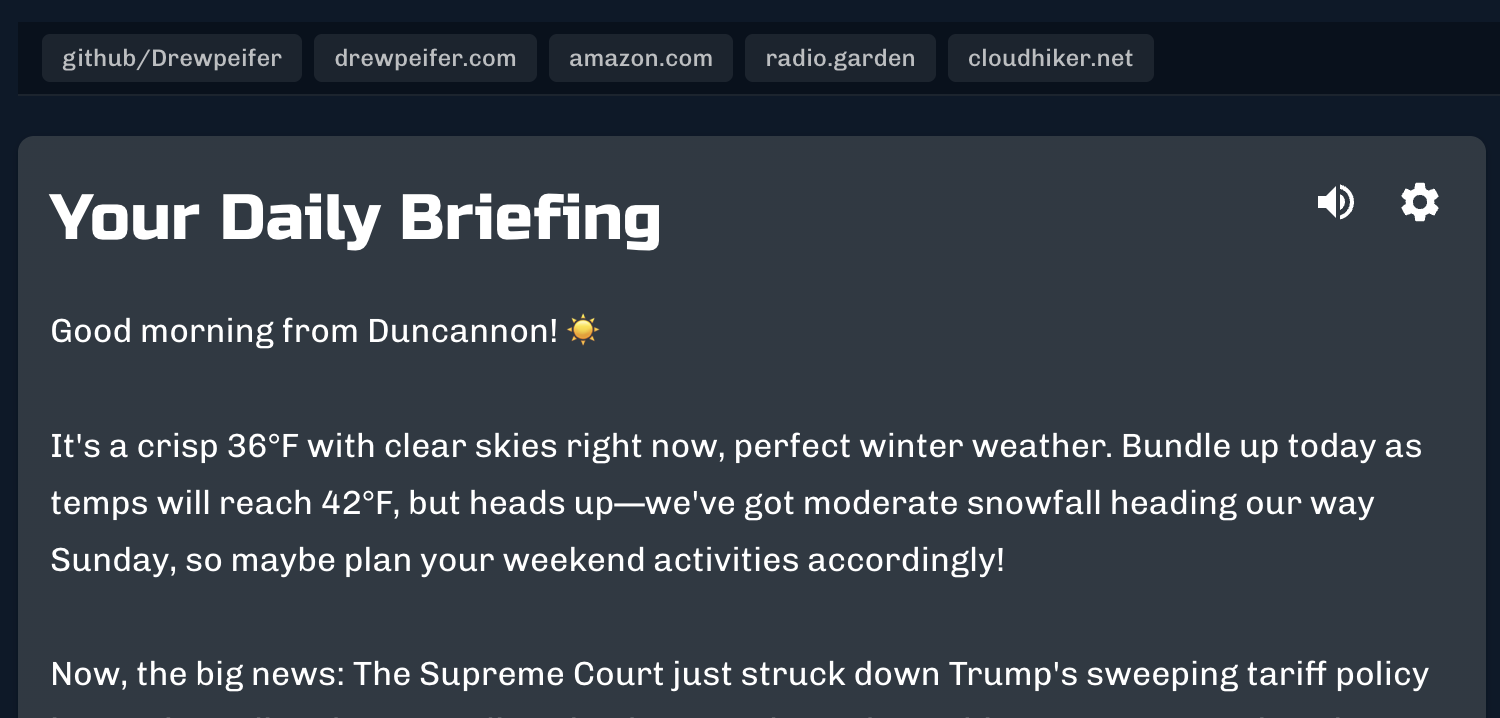
- Customizable daily briefing with advanced configuration options:
- Configurable briefing length (e.g., 200-300, 300-400 words)
- Keyword/topic emphasis for prioritizing specific subjects
- Per-row Claude instructions for customized tone per source
- Time-of-day adaptive tone (energizing mornings, reflective evenings)
- Optional vocalization with text-to-speech (read-aloud)
- Copy to clipboard and download as Markdown
- Changes since past briefings referenced in current briefing if relevant
- Briefing history widget with visualization of word count trends over time
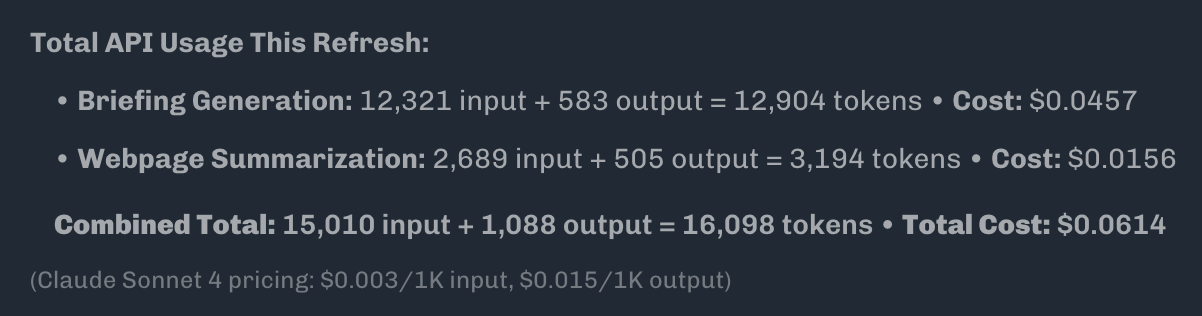
- Claude cost and usage details for each briefing (Sonnet 4.5 = $.05-.10 avg per briefing, depending on sources used)
- Local storage of session information (no data sent to 3rd parties except Claude / open-meteo)
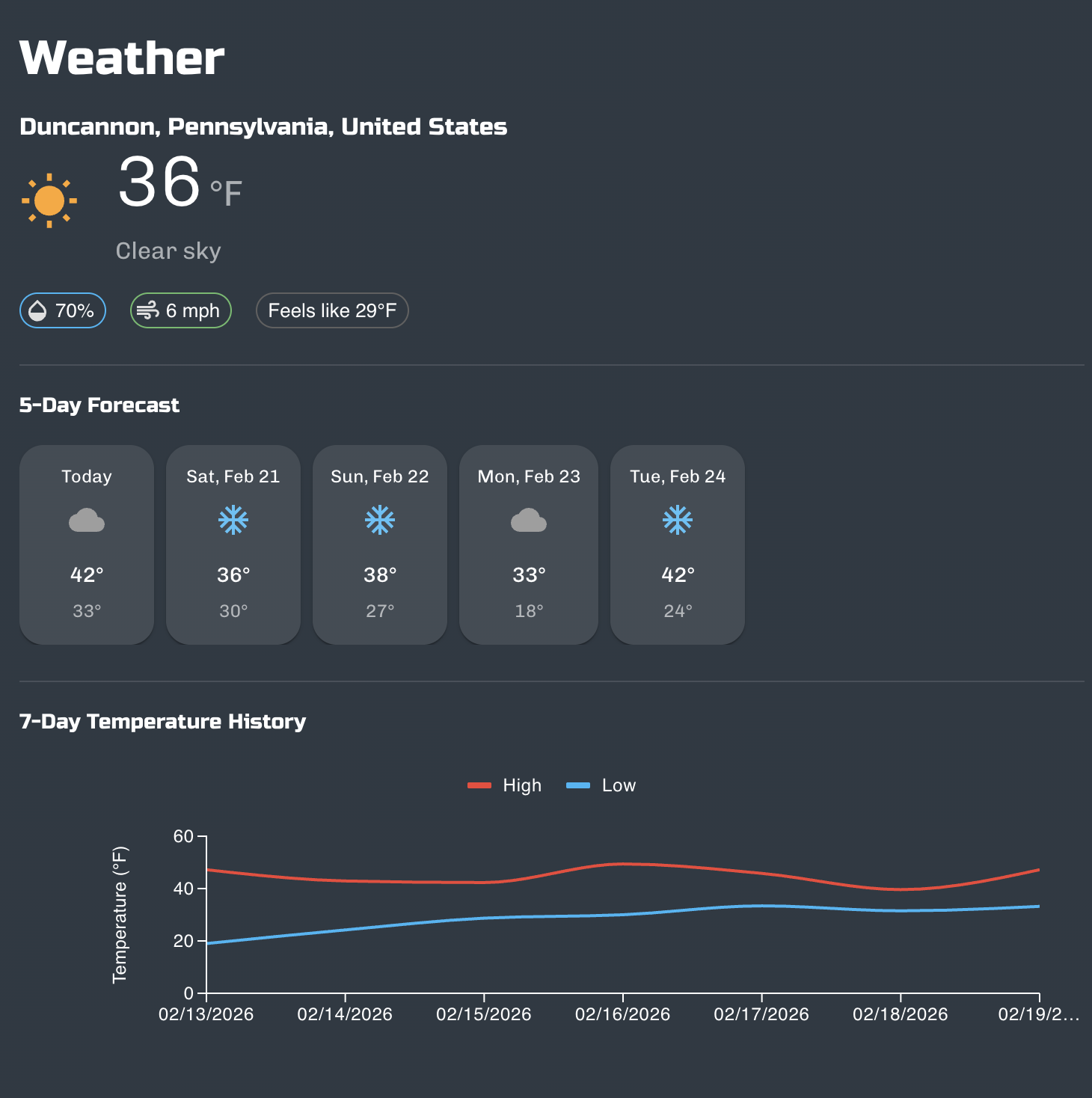
- Localized weather via open-meteo with charts
- Automatic parsing of news sources in JSON, XML, and RSS formats
- Automatic web scraping and summarization of new sources in web format (increases usage, YMMV)
- Customizable list of quick links
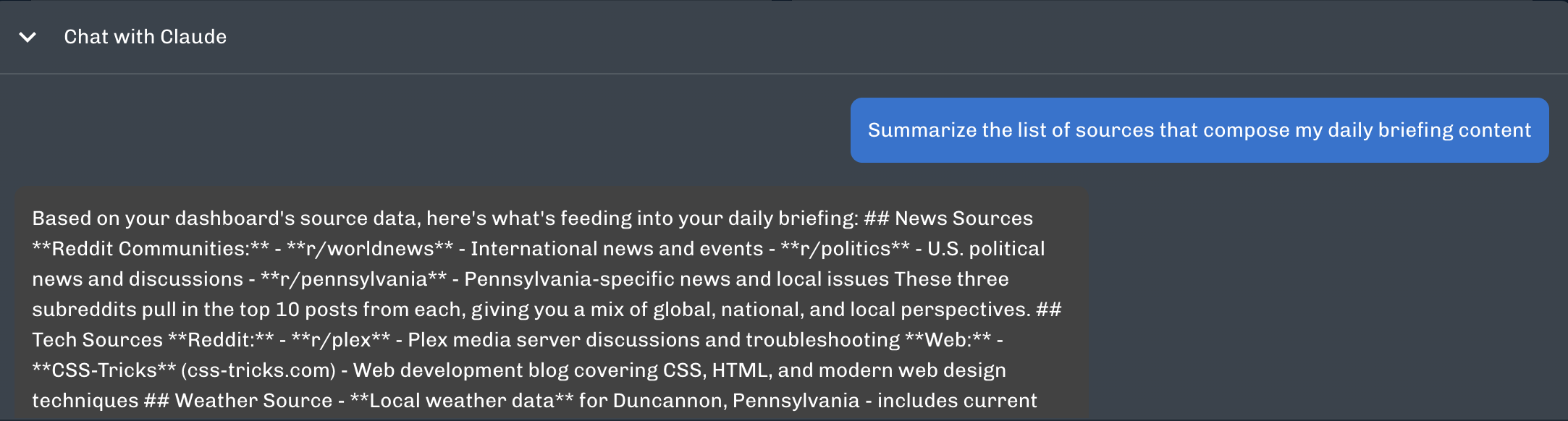
- Interactive Claude chat portal with briefing as context
- Light/Dark theme


Security Notes
Since this is only intended to run locally:
- ✅ API key in
.env.localis safe (never deployed) - ✅ localStorage data never leaves your machine
- ✅ All Claude API calls are direct (no third-party servers)
- ✅ Local proxy server included
Tech Stack
- React 18+
- Material-UI (MUI) v5 + MUI-X Charts (free tier)
- Anthropic Claude API
- localStorage for persistence
- No backend required (runs entirely in browser)
APIs & Services
- Anthropic Claude API (claude-sonnet-4-5-20250929)
- Open-Meteo API (weather data)
- RSS2JSON API (RSS feed parsing)
Storage
- localStorage (client-side caching)
Features
- AI-generated daily briefings with conversational tone and contextual awareness
- Historical context tracking that compares current news with previous briefings
- Multi-source data aggregation from Reddit, RSS feeds, and web pages
- Intelligent caching system with configurable TTL to minimize API usage
- Interactive chat interface for follow-up questions about briefing content
- Location-based weather integration with forecast display
- Row-based widget layout system for organizing content sources
- Quick links bar for frequently accessed URLs
- Token usage tracking with cost estimation
- Dark and light theme support
- Responsive widget grid layout
- Enhanced Reddit post display with images, upvotes, and comment counts
- Webpage content summarization using Claude
- Debug mode for development and testing
Configuration
All configuration is managed through environment variables in .env.local. Copy .env.example to .env.local and configure the following:
Required Configuration
| Variable | Description |
|---|---|
REACT_APP_ANTHROPIC_API_KEY |
Anthropic API key for Claude access |
Optional Configuration
| Variable | Default | Description |
|---|---|---|
REACT_APP_LOCATION |
None | Location for weather (city, state, country or zip code) |
REACT_APP_DATA_SOURCES |
Reddit tech/worldnews/science | JSON object for row-based layout or comma-separated URLs |
REACT_APP_CLAUDE_MODEL |
claude-sonnet-4-5-20250929 | Claude model identifier |
REACT_APP_CLAUDE_INSTRUCTIONS |
None | Custom instructions for briefing generation |
REACT_APP_BRIEFING_LENGTH |
300-400 | Target word count for briefings (e.g., "200-300", "400-500") |
REACT_APP_BRIEFING_TOPICS |
None | Comma-separated keywords/topics to prioritize (e.g., "AI, climate, space") |
REACT_APP_ROW_INSTRUCTIONS |
None | JSON object with per-row Claude instructions (e.g., {"News":"be terse","Games":"be casual"}) |
REACT_APP_REFRESH_INTERVAL |
15 | Cache TTL in minutes |
REACT_APP_HISTORY_DAYS |
7 | Days of briefing history to retain |
REACT_APP_CORS_PROXY |
allorigins.win | CORS proxy service URL |
REACT_APP_DEBUG_MODE |
false | Enable debug panel and logging |
REACT_APP_TEMPERATURE_UNIT |
F | Temperature unit (F or C) |
REACT_APP_CHART_DATE_FORMAT |
MM/DD/YYYY | Date format for charts |
REACT_APP_TEXT_VOICE |
Google UK English Female | Text-to-speech voice name |
REACT_APP_QUICK_LINKS |
None | Comma-separated URLs for quick link buttons |
Data Source Configuration
The REACT_APP_DATA_SOURCES variable accepts two formats:
Row-based layout (JSON object):
{"row1":["https://www.reddit.com/r/technology.json","https://www.reddit.com/r/worldnews.json"],"row2":["https://www.reddit.com/r/science.json"],"Games":["https://example.com/updates"]}
Legacy format (comma-separated):
https://www.reddit.com/r/technology.json,https://www.reddit.com/r/worldnews.json
Supported source types:
- JSON APIs (Reddit endpoints with
.jsonsuffix) - RSS/XML feeds
- Web pages (automatically summarized using Claude)
Installation and Setup
Prerequisites
- Node.js (version 14 or higher)
- npm or yarn package manager
- Anthropic API key (obtain from https://console.anthropic.com/)
Installation Steps
- Clone the repository:
git clone https://github.com/Drewpeifer/personal-dash-cl.git
cd personal-dash-cl
- Install dependencies:
cd claudash
npm install
- Configure environment variables:
cp .env.example .env.local
- Edit
.env.localand add your Anthropic API key:
REACT_APP_ANTHROPIC_API_KEY=sk-ant-your-actual-key-here
-
Configure optional settings in
.env.local(location, data sources, etc.) -
Start the application:
npm start
This command launches both the Vite development server (port 5173) and the Express proxy server (port 3001) concurrently.
- Access the application at
http://localhost:5173
Development Commands
npm start       # Start both dev server and proxy server
npm run dev     # Start only Vite dev server
npm run proxy   # Start only Express proxy server
npm run build   # Create production build
npm run preview # Preview production build
npm run lint    # Run ESLint
Troubleshooting
If briefing generation fails with network errors, verify that both servers are running. The proxy server must be active on port 3001 to communicate with the Anthropic API. Stop the process with Ctrl+C and restart with npm start if needed.
To debug specific issues, set REACT_APP_DEBUG_MODE=true in .env.local to enable the debug panel and detailed console logging.
To clear all cached data, click the trash icon in the top-right corner of the application interface.
Project Structure
claudash/
├── proxy-server.js          # Express server for API proxying
├── package.json             # Dependencies and scripts
├── vite.config.js           # Vite configuration
├── index.html               # HTML entry point
├── public/                  # Static assets
└── src/
    ├── App.jsx              # Root component
    ├── main.jsx             # Application entry point
    ├── theme.js             # MUI theme configuration
    ├── components/          # React components
    │   ├── Dashboard.jsx    # Main dashboard container
    │   ├── ChatInterface.jsx # Chat interface component
    │   ├── QuickLinksBar.jsx # Quick links bar
    │   └── widgets/         # Widget components
    ├── services/            # Business logic and API integration
    │   ├── claudeService.js # Claude API integration
    │   ├── dataFetcher.js   # Multi-source data fetching
    │   ├── sourceParser.js  # Data parsing and standardization
    │   ├── storageService.js # localStorage management
    │   └── openMeteoService.js # Weather API integration
    └── utils/               # Utility functions and constants
        ├── constants.js     # Application constants
        └── corsProxy.js     # CORS proxy utilities
License
GNU General Public License v3.0 - see LICENSE file for details.