No description
| .github | ||
| assets | ||
| build/ci | ||
| cmd/WatchYourLAN | ||
| configs | ||
| internal | ||
| .gitignore | ||
| .version | ||
| CHANGELOG.md | ||
| docker-compose.yml | ||
| Dockerfile | ||
| Dockerfile.css | ||
| go.mod | ||
| go.sum | ||
| LICENSE.md | ||
| Makefile | ||
| README.md | ||

WatchYourLAN



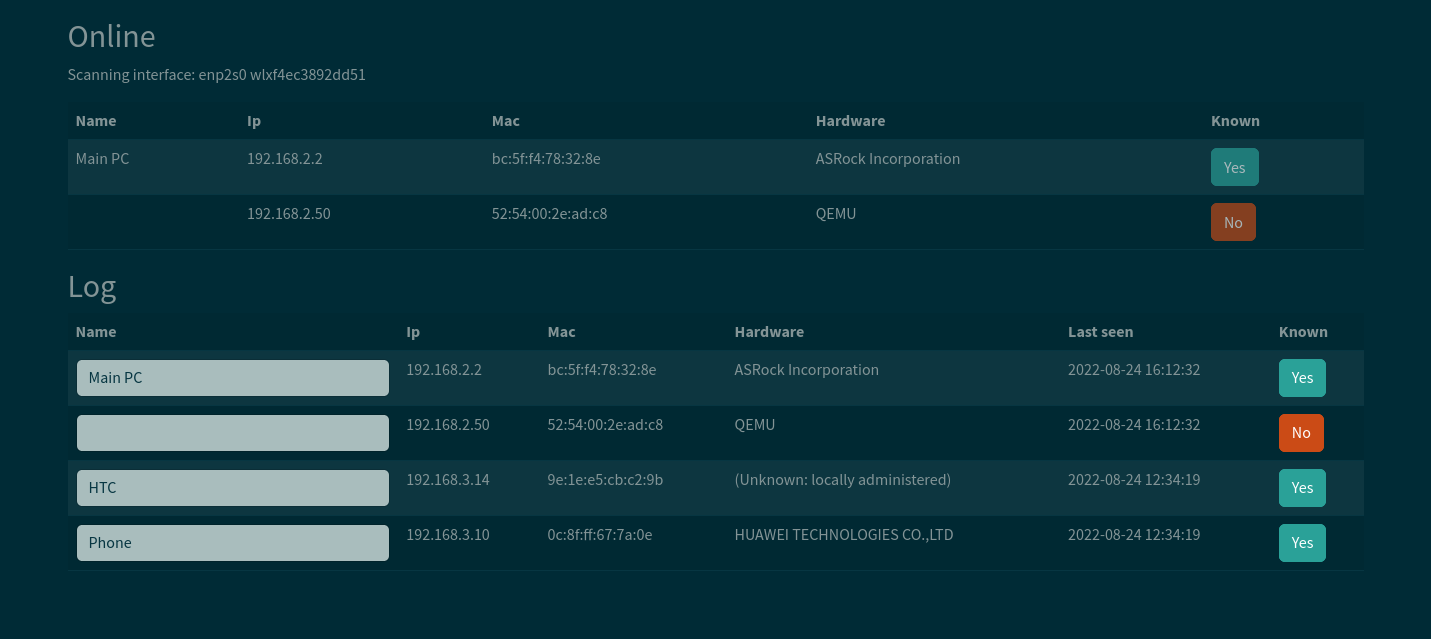
Lightweight network IP scanner with web GUI
https://github.com/aceberg/WatchYourLAN
Quick start
Replace $YOURTIMEZONE with correct time zone and $YOURIFACE with network interface you want to scan. Network mode must be host.
docker run --name wyl \
	-e "IFACE=$YOURIFACE" \
	-e "TZ=$YOURTIMEZONE" \
	--network="host" \
    aceberg/watchyourlan
Set $DOCKERDATAPATH for container to save data:
docker run --name wyl \
	-e "IFACE=$YOURIFACE" \
	-e "TZ=$YOURTIMEZONE" \
	--network="host" \
	-v $DOCKERDATAPATH/wyl:/data \
    aceberg/watchyourlan
Web GUI should be at http://localhost:8840
Config
Configuration can be done through config file or environment variables
| Variable | Description | Default |
|---|---|---|
| IFACE | Interface to scan. Could be one or more, separated by space. Currently docker0 is not allowed, as arp-scan wouldn't work with it correctly |
enp1s0 |
| DBPATH | Path to Database | /data/db.sqlite |
| GUIIP | Address for web GUI | localhost (127.0.0.1) |
| GUIPORT | Port for web GUI | 8840 |
| TIMEOUT | Time between scans (seconds) | 60 (1 minute) |
| SHOUTRRR_URL | Url to any notification service supported by Shoutrrr (gotify, email, telegram and others) | "" |
| THEME | Any theme name from https://bootswatch.com in lowcase | solar |
| IGNOREIP | If you want to detect unknown hosts by MAC only, set this wariable to "yes" | no |
Config file
Config file path is /data/config.
All variables could be set there. Example:
IFACE="enp2s0 wg0"
DBPATH="/data/hosts.db"
GUIIP="192.168.2.1"     		# To access from LAN
GUIPORT="8840"
TIMEOUT="300"           		# 5 minutes
SHOUTRRR_URL="gotify://192.168.2.1:8083/AwQqpAae.rrl5Ob/?title=Unknown host detected&DisableTLS=yes"	# Url to notify
THEME="darkly"
Thanks
- All go packages listed in dependencies
- Favicon and logo: Access point icons created by Freepik - Flaticon
- Bootstrap
- Themes: Free themes for Bootstrap