 WatchYourLAN
[](https://github.com/aceberg/WatchYourLAN/actions/workflows/main-docker-all.yml)
[](https://goreportcard.com/report/github.com/aceberg/WatchYourLAN)
[](https://codeclimate.com/github/aceberg/WatchYourLAN/maintainability)


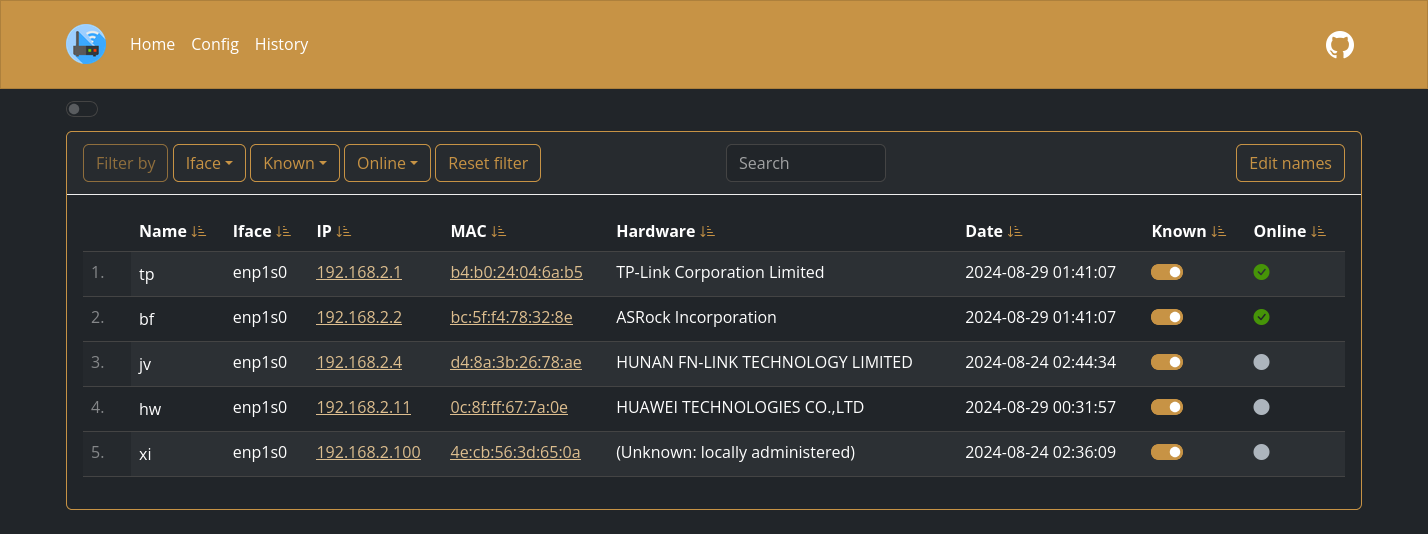
Lightweight network IP scanner with web GUI
> [!WARNING]
> This README is about version 2.0, which is going to be released soon. There will be BREAKING CHANGES! Version 1.0 can be found in this brunch: [v1](https://github.com/aceberg/WatchYourLAN/tree/v1)
## Quick start
Expand
Replace `$YOURTIMEZONE` with correct time zone and `$YOURIFACE` with network interface you want to scan. Network mode must be `host`. Set `$DOCKERDATAPATH` for container to save data:
```sh
docker run --name wyl \
-e "IFACES=$YOURIFACE" \
-e "TZ=$YOURTIMEZONE" \
--network="host" \
-v $DOCKERDATAPATH/wyl:/data/WatchYourLAN \
aceberg/watchyourlan
```
Web GUI should be at http://localhost:8840
## Config
Expand
Configuration can be done through config file or environment variables
| Variable | Description | Default |
| -------- | ----------- | ------- |
| COLOR | Background color: light or dark | dark |
## Config file
Expand
## Options
Expand
| Key | Description | Default |
| -------- | ----------- | ------- |
| -c | Path to config file | /data/config.yaml |
| -n | Path to node modules (see below) | "" |
## Local network only
Expand
By default, this app pulls themes, icons and fonts from the internet. But, in some cases, it may be useful to have an independent from global network setup. I created a separate [image](https://github.com/aceberg/my-dockerfiles/tree/main/node-bootstrap) with all necessary modules and fonts.
Run with Docker:
```sh
docker run --name node-bootstrap \
-p 8850:8850 \
aceberg/node-bootstrap
```
```sh
docker run --name wyl \
-e "IFACE=$YOURIFACE" \
-e "TZ=$YOURTIMEZONE" \
--network="host" \
-v $DOCKERDATAPATH/wyl:/data \
aceberg/watchyourlan -n "http://$YOUR_IP:8850"
```
Or use [docker-compose](docker-compose-local.yml)
## Thanks
Expand
- All go packages listed in [dependencies](https://github.com/aceberg/WatchYourLAN/network/dependencies)
- Favicon and logo: [Access point icons created by Freepik - Flaticon](https://www.flaticon.com/free-icons/access-point)
- [Bootstrap](https://getbootstrap.com/)
- Themes: [Free themes for Bootstrap](https://bootswatch.com)