| .github/workflows | ||
| api | ||
| misc | ||
| web | ||
| .dockerignore | ||
| .env.example | ||
| .gitignore | ||
| BUILD_TDLIB.md | ||
| docker-compose.yaml | ||
| Dockerfile | ||
| entrypoint.sh | ||
| http-client.env.json | ||
| LICENSE | ||
| nginx.conf | ||
| README.md | ||
| request.http | ||
| VERSION | ||


Telegram Files
A simple telegram file downloader.


🔗 Table of Contents
📍 Overview
- Support for downloading files from telegram channels and groups.
- Support multiple telegram accounts for downloading files.
- Support suspending and resuming downloads.
- Multiple accounts with same files will be downloaded only once.
🧩 Screenshots
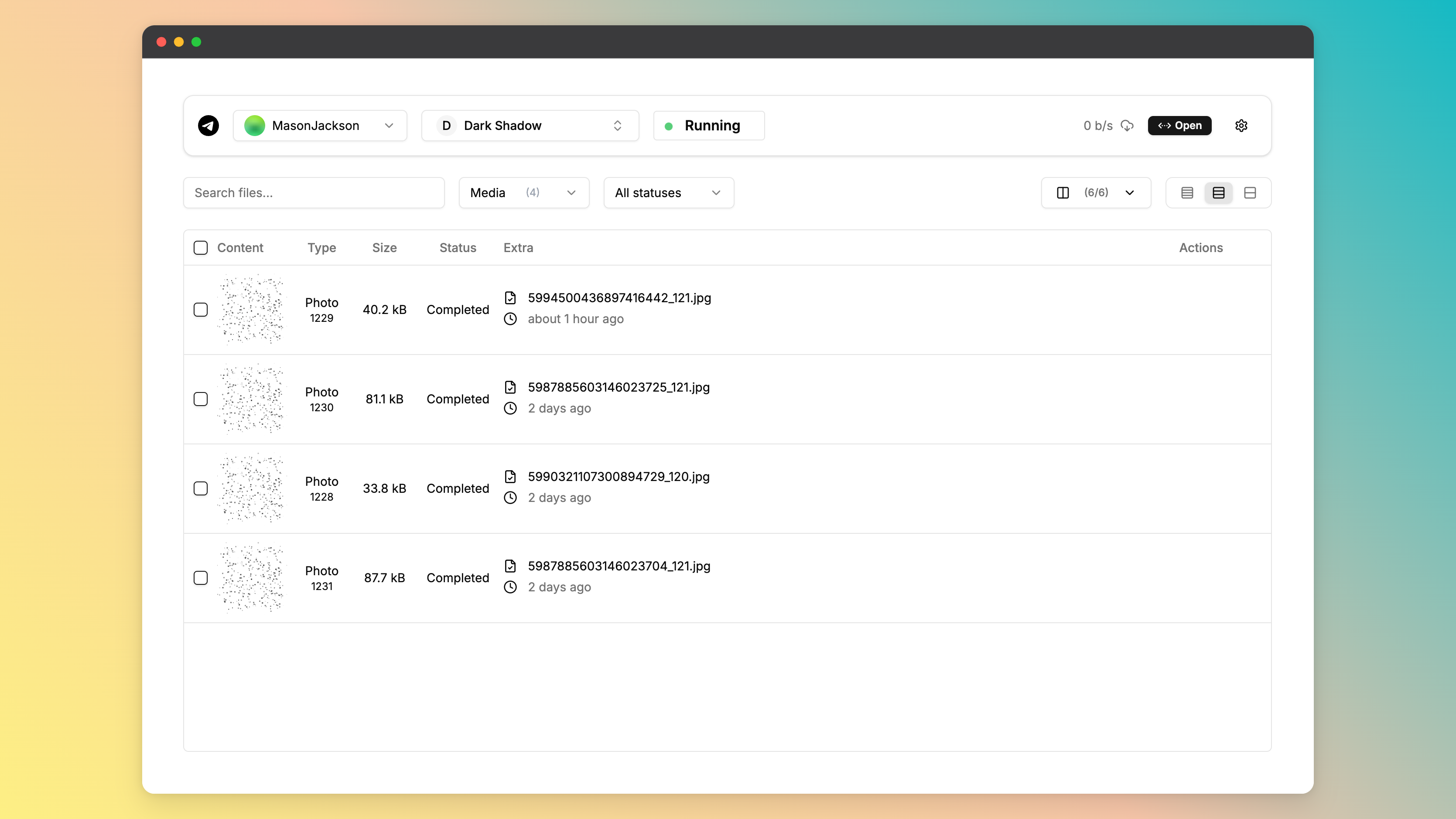
🚀 Getting Started
☑️ Prerequisites
Before getting started with telegram-files, ensure your runtime environment meets the following requirements:
- Programming Language: JDK21,TypeScript
- Package Manager: Gradle,Npm
- Container Runtime: Docker
⚙️ Installation
Install telegram-files using one of the following methods:
Build from source:
- Clone the telegram-files repository:
git clone https://github.com/jarvis2f/telegram-files
- Navigate to the project directory:
cd telegram-files
- Install the project dependencies:
Using npm

cd web
npm install
Using gradle

cd api
gradle build
Using docker

docker build -t jarvis2f/telegram-files .
🤖 Usage
Using docker
Copy docker-compose.yaml to your project directory and run the following command:
docker-compose up -d
Important Note: You should NOT expose the service to the public internet. Because the service is not secure.
📌 Project Roadmap
Task 1: Improve Telegram’s login functionality.Task 2: Support auto transfer files to other destinations.Task 3: Automatically download files based on set rules.Task 4: Download statistics and reports.
🔰 Contributing
- 💬 Join the Discussions: Share your insights, provide feedback, or ask questions.
- 🐛 Report Issues: Submit bugs found or log feature requests
for the
telegram-filesproject. - 💡 Submit Pull Requests: Review open PRs, and submit your own PRs.
Contributing Guidelines
- Fork the Repository: Start by forking the project repository to your github account.
- Clone Locally: Clone the forked repository to your local machine using a git client.
git clone https://github.com/jarvis2f/telegram-files - Create a New Branch: Always work on a new branch, giving it a descriptive name.
git checkout -b new-feature-x - Make Your Changes: Develop and test your changes locally.
- Commit Your Changes: Commit with a clear message describing your updates.
git commit -m 'Implemented new feature x.' - Push to github: Push the changes to your forked repository.
git push origin new-feature-x - Submit a Pull Request: Create a PR against the original project repository. Clearly describe the changes and their motivations.
- Review: Once your PR is reviewed and approved, it will be merged into the main branch. Congratulations on your contribution!
🎗 License
This project is protected under the MIT License. For more details, refer to the LICENSE file.
🆗 FAQs
Q. Can't start the api server, error:java.lang.UnsatisfiedLinkError: no tdjni in java.library.path
A. Maybe download tdlib failed, you can see the entrypoint.sh file, then download tdlib manually.
Q. Web's spoiler is static, how to solve it?
A. 1. Because CSS Houdini Paint API is not supported by all browsers. 2. It is only supported on https.
Use in http environment, you can use the following method to solve it
Open the chrome://flags page, search for Insecure origins treated as secure, and add the address of the web page to the list.