Telegram Files
A self-hosted Telegram file downloader for continuous, stable, and unattended downloads.


## 🔗 Table of Contents
- [📍 Overview](#-overview)
- [🧩 Screenshots](#-screenshots)
- [🚀 Getting Started](#-getting-started)
- [⌨️ Development](#️-development)
- [☑️ Prerequisites](#-prerequisites)
- [⚙️ Installation](#-installation)
- [📌 Project Roadmap](#-project-roadmap)
- [🔰 Contributing](#-contributing)
- [🎗 License](#-license)
- [🆗 FAQs](#-faqs)
---
## 📍 Overview
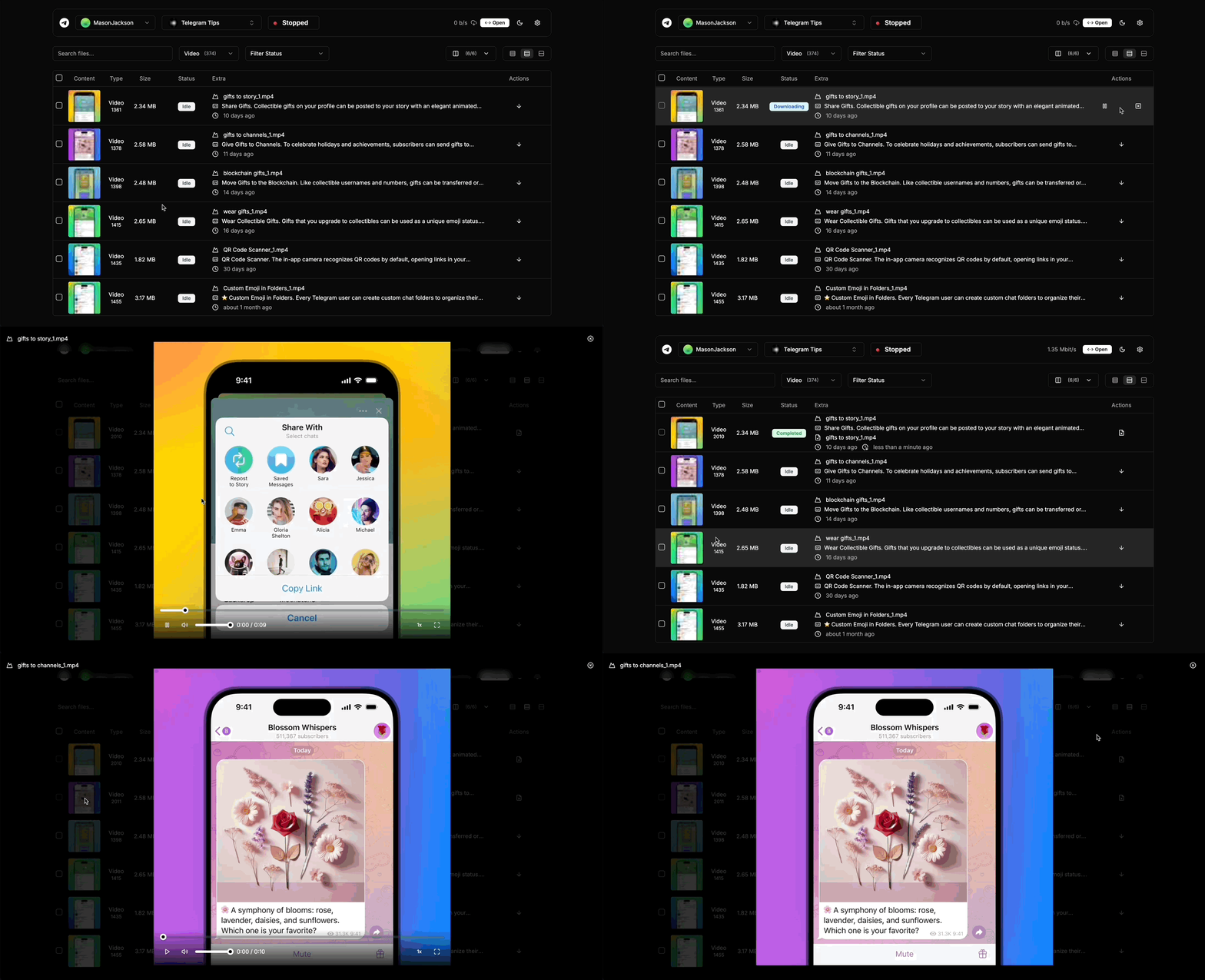
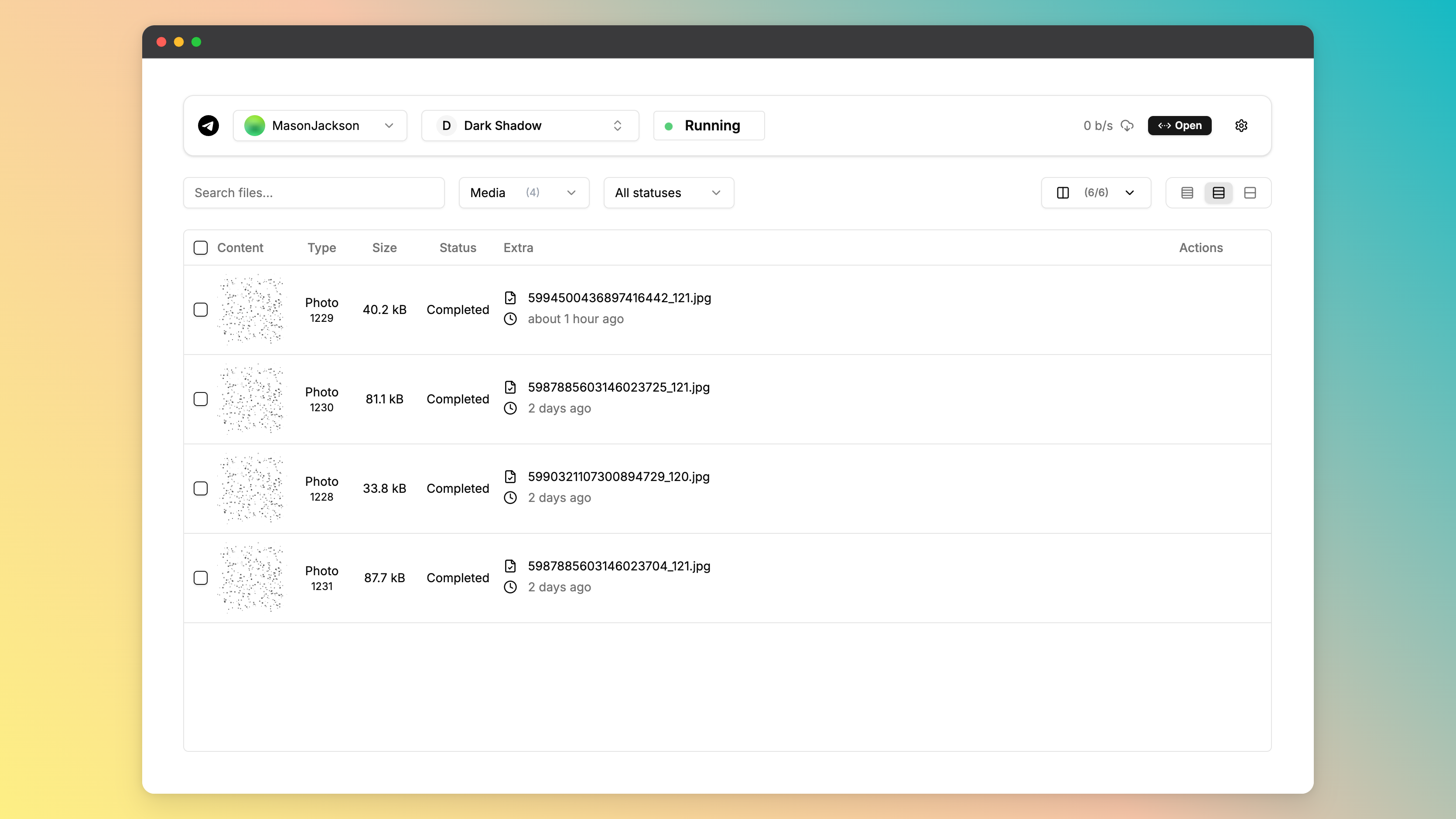
* Support for downloading files from telegram channels and groups.
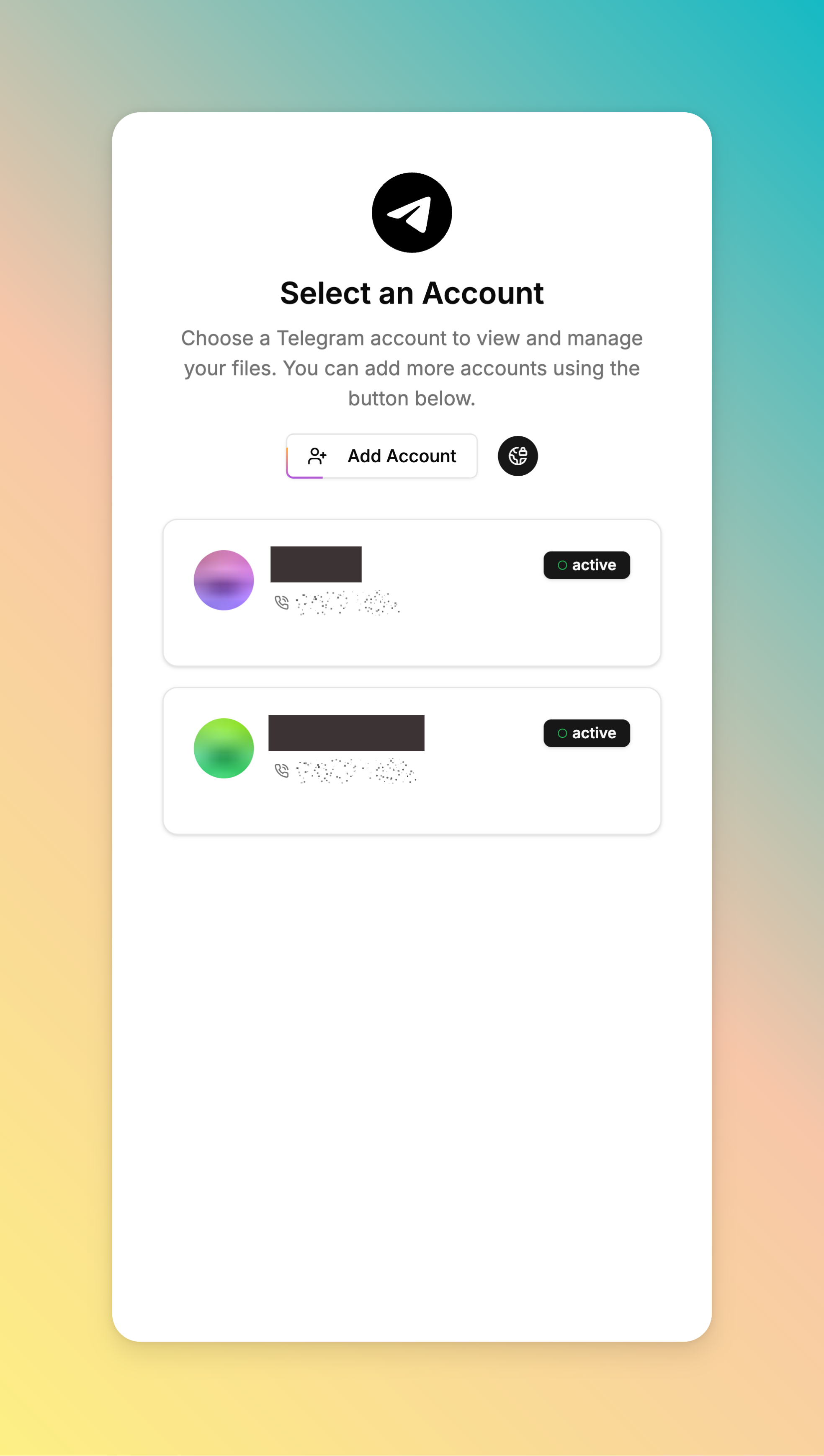
* Support multiple telegram accounts for downloading files.
* Support suspending and resuming downloads, and auto transfer files to other destinations.
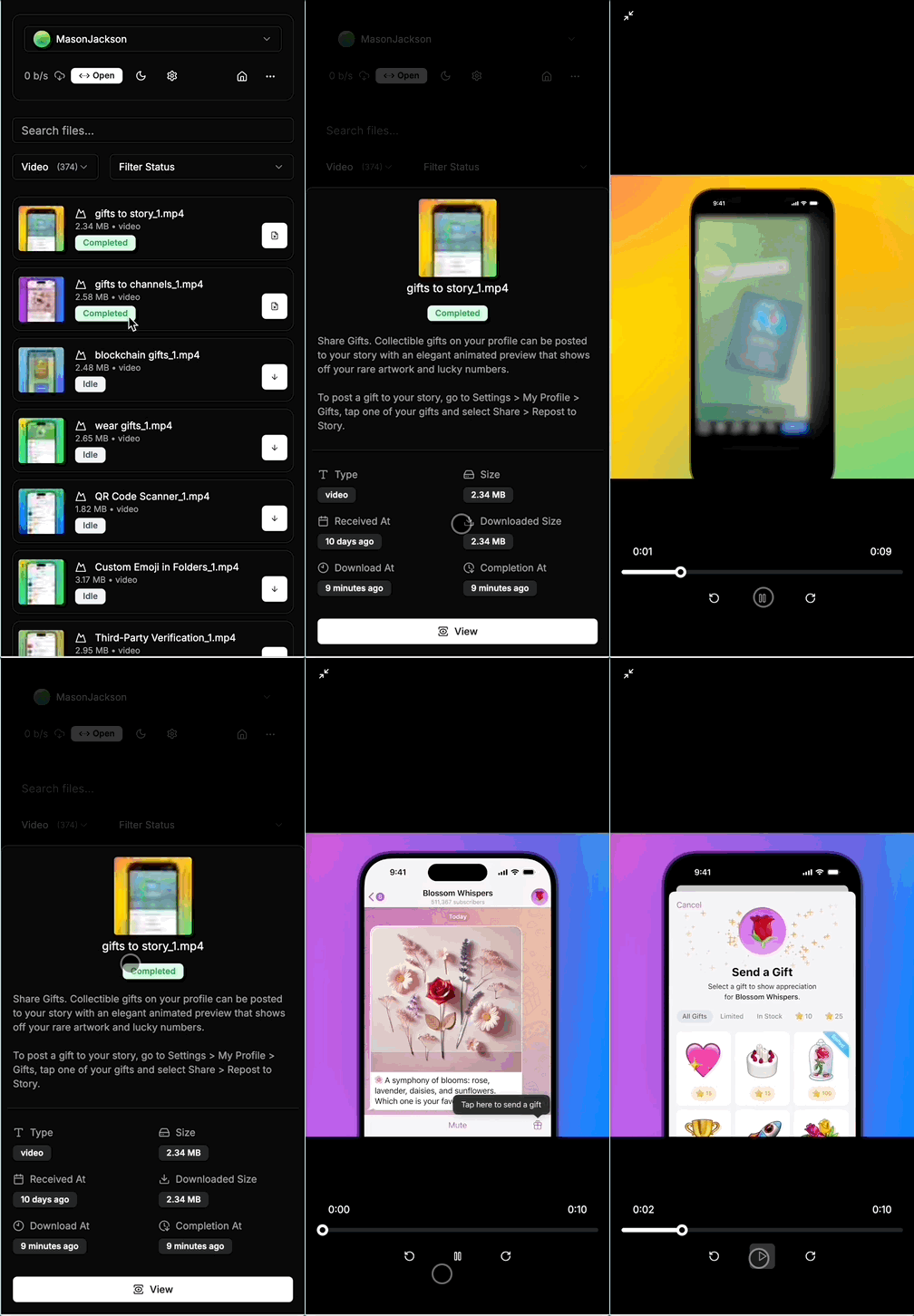
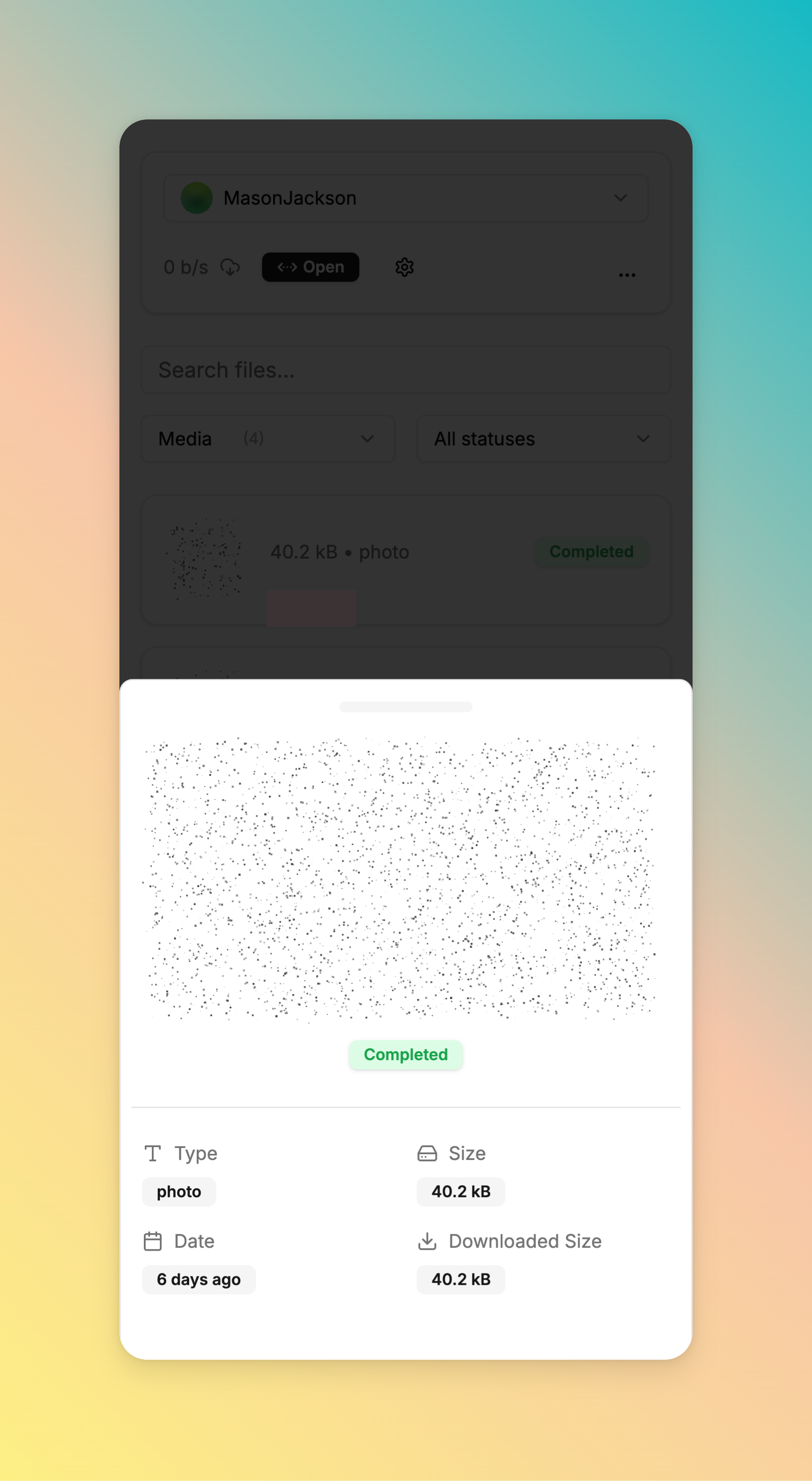
* Preview of downloaded videos and pictures.
* Responsive design supports mobile access, PWAs, and offline access.
---
## 🧩 Screenshots
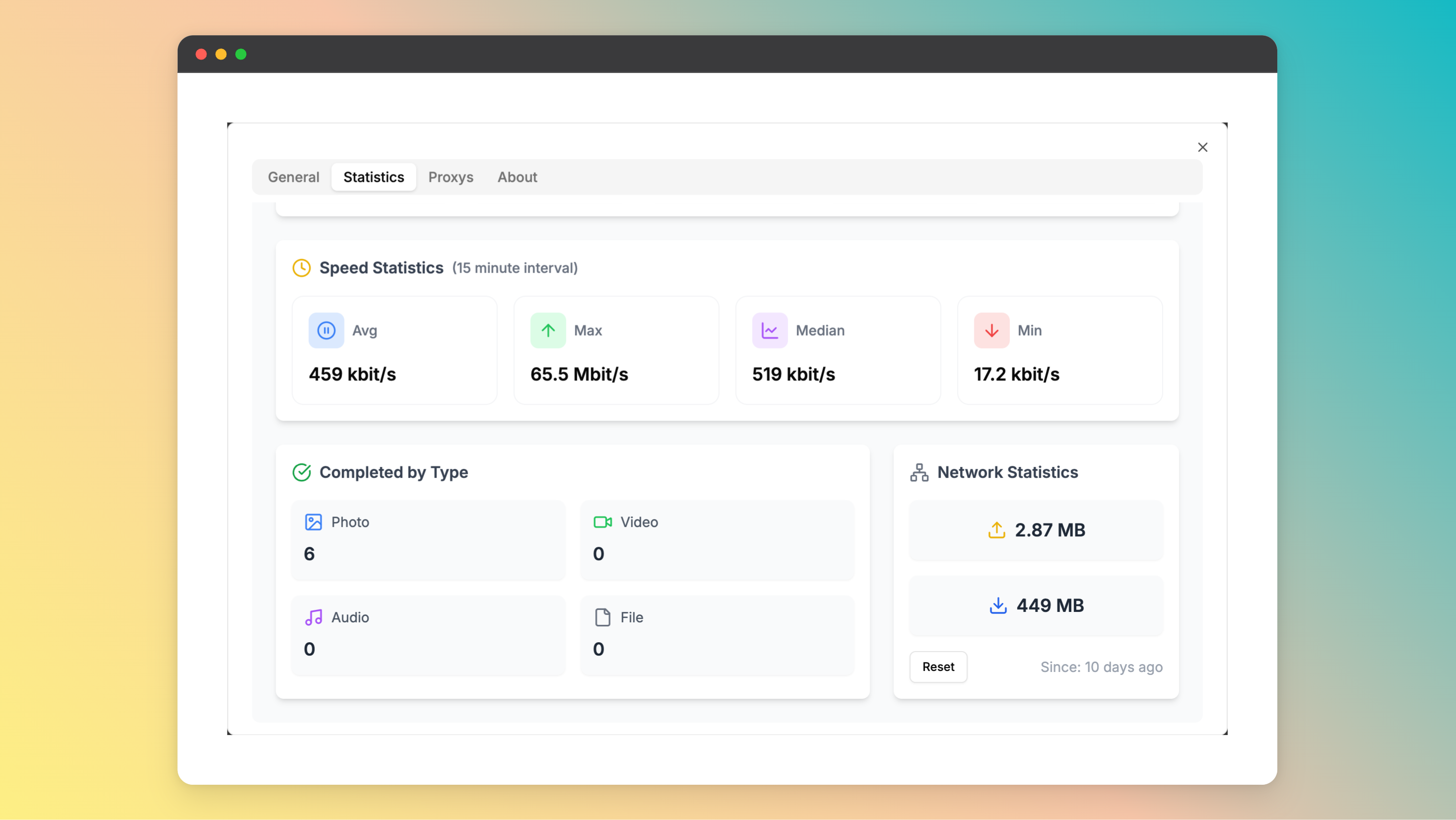
More Screenshots
## 🚀 Getting Started
Before getting started with telegram-files, you should apply a telegram api id and hash. You can apply for it on
the [Telegram API](https://my.telegram.org/apps) page.
**Using `docker`**
[ ](https://www.docker.com/)
```shell
docker run -d \
--name telegram-files \
--restart always \
-e APP_ENV=${APP_ENV:-prod} \
-e APP_ROOT=${APP_ROOT:-/app/data} \
-e TELEGRAM_API_ID=${TELEGRAM_API_ID} \
-e TELEGRAM_API_HASH=${TELEGRAM_API_HASH} \
-p 6543:80 \
-v ./data:/app/data \
ghcr.io/jarvis2f/telegram-files:latest
```
**Using `docker-compose`**
Copy [docker-compose.yaml](docker-compose.yaml) and [.env.example](.env.example) to your project directory and run the following command:
```sh
docker-compose up -d
```
**Install on unRaid**
On unRaid, install from the Community Repositories by searching for `telegram-files`.
> **Important Note:** You should NOT expose the service to the public internet. Because the service is not secure.
---
## ⌨️ Development
### ☑️ Prerequisites
Before getting started with telegram-files, ensure your runtime environment meets the following requirements:
- **Programming Language:** JDK21,TypeScript
- **Package Manager:** Gradle,Npm
- **Container Runtime:** Docker
### ⚙️ Installation
Install telegram-files using one of the following methods:
**Build from source:**
1. Clone the telegram-files repository:
```sh
git clone https://github.com/jarvis2f/telegram-files
```
2. Navigate to the project directory:
```sh
cd telegram-files
```
3. Install the project dependencies:
**Using `npm`**
[
](https://www.docker.com/)
```shell
docker run -d \
--name telegram-files \
--restart always \
-e APP_ENV=${APP_ENV:-prod} \
-e APP_ROOT=${APP_ROOT:-/app/data} \
-e TELEGRAM_API_ID=${TELEGRAM_API_ID} \
-e TELEGRAM_API_HASH=${TELEGRAM_API_HASH} \
-p 6543:80 \
-v ./data:/app/data \
ghcr.io/jarvis2f/telegram-files:latest
```
**Using `docker-compose`**
Copy [docker-compose.yaml](docker-compose.yaml) and [.env.example](.env.example) to your project directory and run the following command:
```sh
docker-compose up -d
```
**Install on unRaid**
On unRaid, install from the Community Repositories by searching for `telegram-files`.
> **Important Note:** You should NOT expose the service to the public internet. Because the service is not secure.
---
## ⌨️ Development
### ☑️ Prerequisites
Before getting started with telegram-files, ensure your runtime environment meets the following requirements:
- **Programming Language:** JDK21,TypeScript
- **Package Manager:** Gradle,Npm
- **Container Runtime:** Docker
### ⚙️ Installation
Install telegram-files using one of the following methods:
**Build from source:**
1. Clone the telegram-files repository:
```sh
git clone https://github.com/jarvis2f/telegram-files
```
2. Navigate to the project directory:
```sh
cd telegram-files
```
3. Install the project dependencies:
**Using `npm`**
[ ](https://www.npmjs.com/)
```sh
cd web
npm install
```
**Using `gradle`**
[
](https://www.npmjs.com/)
```sh
cd web
npm install
```
**Using `gradle`**
[ ](https://gradle.org/)
```sh
cd api
gradle build
```
**Using `docker`**
[](https://www.docker.com/)
```sh
docker build -t jarvis2f/telegram-files .
```
## 📌 Project Roadmap
- ✅ **`Task 1`**: Automatically download files based on set rules.
- ✅ **`Task 2`**: Download statistics and reports.
- ✅ **`Task 3`**: Improve Telegram’s login functionality.
- ✅ **`Task 4`**: Support auto transfer files to other destinations.
- ✅ **`Task 5`**: File table is optimized using virtual lists.
- ✅ **`Task 6`**: Preload file information to support responsible searches.
---
## 🔰 Contributing
- **💬 [Join the Discussions](https://github.com/jarvis2f/telegram-files/discussions)**: Share your insights, provide
feedback, or ask questions.
- **🐛 [Report Issues](https://github.com/jarvis2f/telegram-files/issues)**: Submit bugs found or log feature requests
for the `telegram-files` project.
- **💡 [Submit Pull Requests](https://github.com/jarvis2f/telegram-files/blob/main/CONTRIBUTING.md)**: Review open PRs,
and submit your own PRs.
](https://gradle.org/)
```sh
cd api
gradle build
```
**Using `docker`**
[](https://www.docker.com/)
```sh
docker build -t jarvis2f/telegram-files .
```
## 📌 Project Roadmap
- ✅ **`Task 1`**: Automatically download files based on set rules.
- ✅ **`Task 2`**: Download statistics and reports.
- ✅ **`Task 3`**: Improve Telegram’s login functionality.
- ✅ **`Task 4`**: Support auto transfer files to other destinations.
- ✅ **`Task 5`**: File table is optimized using virtual lists.
- ✅ **`Task 6`**: Preload file information to support responsible searches.
---
## 🔰 Contributing
- **💬 [Join the Discussions](https://github.com/jarvis2f/telegram-files/discussions)**: Share your insights, provide
feedback, or ask questions.
- **🐛 [Report Issues](https://github.com/jarvis2f/telegram-files/issues)**: Submit bugs found or log feature requests
for the `telegram-files` project.
- **💡 [Submit Pull Requests](https://github.com/jarvis2f/telegram-files/blob/main/CONTRIBUTING.md)**: Review open PRs,
and submit your own PRs.
Contributing Guidelines
1. **Fork the Repository**: Start by forking the project repository to your github account.
2. **Clone Locally**: Clone the forked repository to your local machine using a git client.
```sh
git clone https://github.com/jarvis2f/telegram-files
```
3. **Create a New Branch**: Always work on a new branch, giving it a descriptive name.
```sh
git checkout -b new-feature-x
```
4. **Make Your Changes**: Develop and test your changes locally.
5. **Commit Your Changes**: Commit with a clear message describing your updates.
```sh
git commit -m 'Implemented new feature x.'
```
6. **Push to github**: Push the changes to your forked repository.
```sh
git push origin new-feature-x
```
7. **Submit a Pull Request**: Create a PR against the original project repository. Clearly describe the changes and
their motivations.
8. **Review**: Once your PR is reviewed and approved, it will be merged into the main branch. Congratulations on your
contribution!
---
## 🎗 License
This project is protected under the MIT License. For more details,
refer to the [LICENSE](LICENSE) file.
---
## 🆗 FAQs
~~**Q.** Can't start the api server, error:`java.lang.UnsatisfiedLinkError: no tdjni in java.library.path`~~
~~**A.** Maybe download tdlib failed, you can see the [entrypoint.sh](entrypoint.sh) file, then download tdlib
manually.~~
**Q.** Web's spoiler is static, how to solve it?
**A.** 1. Because `CSS Houdini Paint API` is not supported by all browsers. 2. It is only supported on https.
Use in http environment, you can use the following method to solve it
Open the `chrome://flags` page, search for `Insecure origins treated as secure`, and add the address of the web page to
the list.
**Q.** How to use the telegram-files maintenance tool?
**A.** You can use the following command to run the maintenance tool(**before running the command, you should stop telegram-files container**):
Command
```shell
docker run --rm \
--entrypoint /bin/bash \
-v $(pwd)/data:/app/data \
-e APP_ROOT=${APP_ROOT:-/app/data} \
-e TELEGRAM_API_ID=${TELEGRAM_API_ID} \
-e TELEGRAM_API_HASH=${TELEGRAM_API_HASH} \
ghcr.io/jarvis2f/telegram-files:latest tfm ${Maintenance Command}
```
**Maintenance Command:**
- `album-caption`: Fixed issue with missing caption for album messages before `0.1.15`.