# Immich Selfie Timelapse
***Generate timelapse videos of your loved ones' portraits from your [Immich](https://immich.app/) photo library.***
Use Immich's built-in face recognition to find all photos of a person, then runs them through a configurable processing pipeline that crops, aligns, filters, and compiles the results into a smooth timelapse video.

## Features
- **Face detection & cropping** - Uses Immich's face recognition metadata to locate and crop faces automatically
- **Face alignment** - Aligns all photos based on eye positions for a stable, smooth timelapse
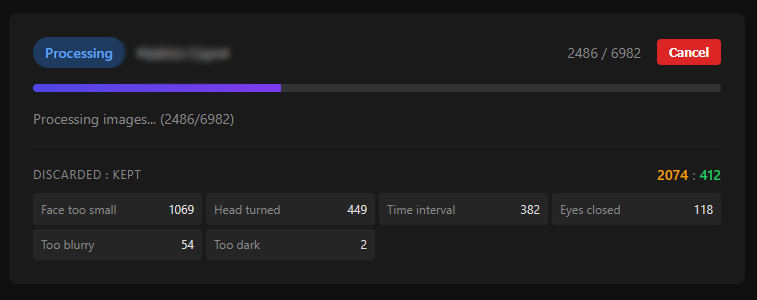
- **Head pose filtering** - Skips non-front-facing photos using an ONNX deep learning model (DMHead)
- **Blink detection** - Filters out photos where eyes are closed using Eye Aspect Ratio analysis
- **Blur detection** - Discards blurry photos using gradient magnitude analysis (Sobel operator)
- **Brightness filtering** - Removes photos that are too dark or overexposed
- **Face resolution filtering** - Skips photos where the face is too small
- **Photo limiting** - Caps photos per day/week/month to avoid over-representing busy periods
- **Timestamp overlay** - Optionally overlays the date on each frame
- **Video compilation** - Automatically compiles processed photos into an MP4 timelapse using FFmpeg
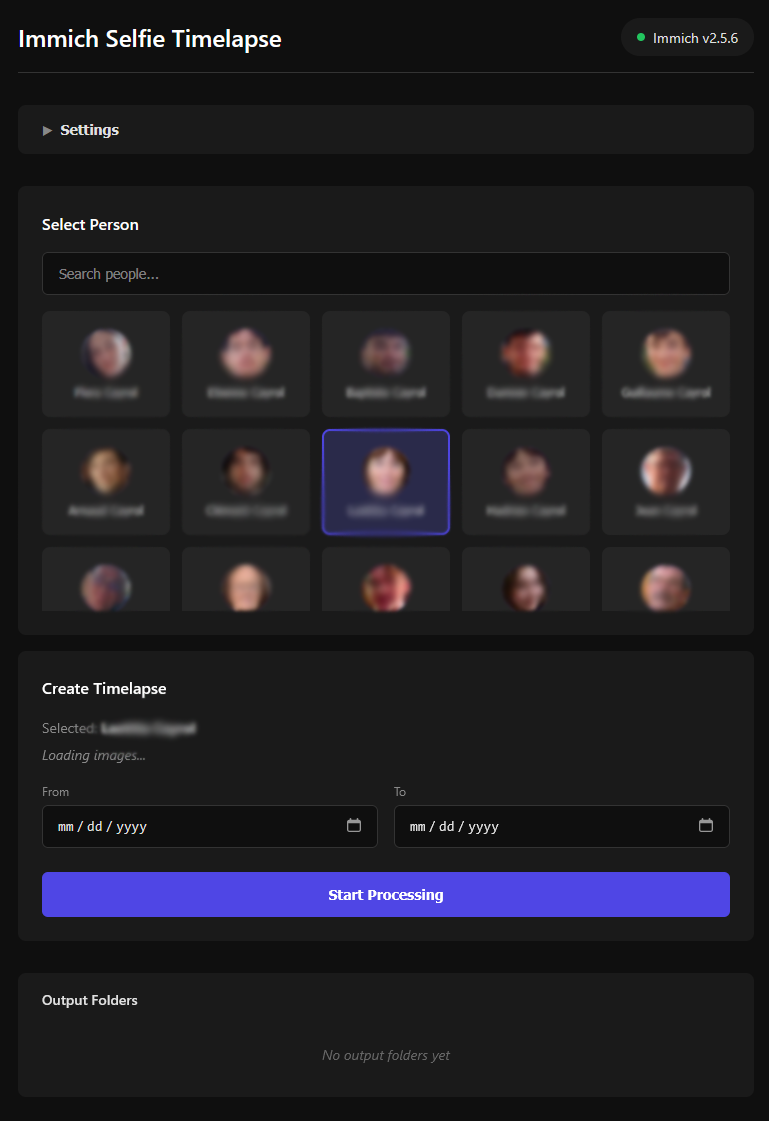
- **Web UI** - Configure all settings and monitor progress through a built-in web interface
## Quick Start
### Immich API key
To access your immich library, this project requires an Immich API key.
Follow this guide to create one: https://immich.app/docs/features/command-line-interface#obtain-the-api-key
Here are the features that need to be enabled:
- `asset.download`
- `asset.read`
- `asset.view`
- `person.read`
- `server.about`
*Note: It is advised to store this API key in a `.env` file adjacent to your `docker-compose.yml` rather than in plain text.*
### Docker Compose (recommended)
```yaml
services:
immich-selfie-timelapse:
image: arnaudcayrol/immich-selfie-timelapse
container_name: immich-selfie-timelapse
user: 1000:1000
ports:
- "5000:5000"
environment:
- IMMICH_API_KEY=abcdefghijklmnopqrstuvwxyz
- IMMICH_BASE_URL=http://your-immich-host:2283
volumes:
- ./config:/app/config
- ./output:/app/output
restart: unless-stopped
```
### Docker Run
```bash
docker run -d \
--name immich-selfie-timelapse \
-p 5000:5000 \
-e IMMICH_API_KEY=your-api-key-here \
-e IMMICH_BASE_URL=http://your_server:2283 \
-v ./config:/app/config \
-v ./output:/app/output \
arnaudcayrol/immich-selfie-timelapse
```
Then open **http://your_server:5000** to access the web interface.
### Volumes
*Ensure correct read/write permissions to the config and output folders.*
```
chown -R 1000:1000 ./config ./output
```
| Path | Description |
|---|---|
| `/app/config` | Persisted configuration file (`config.toml`) |
| `/app/output` | Processed images and compiled timelapse video |
### Settings
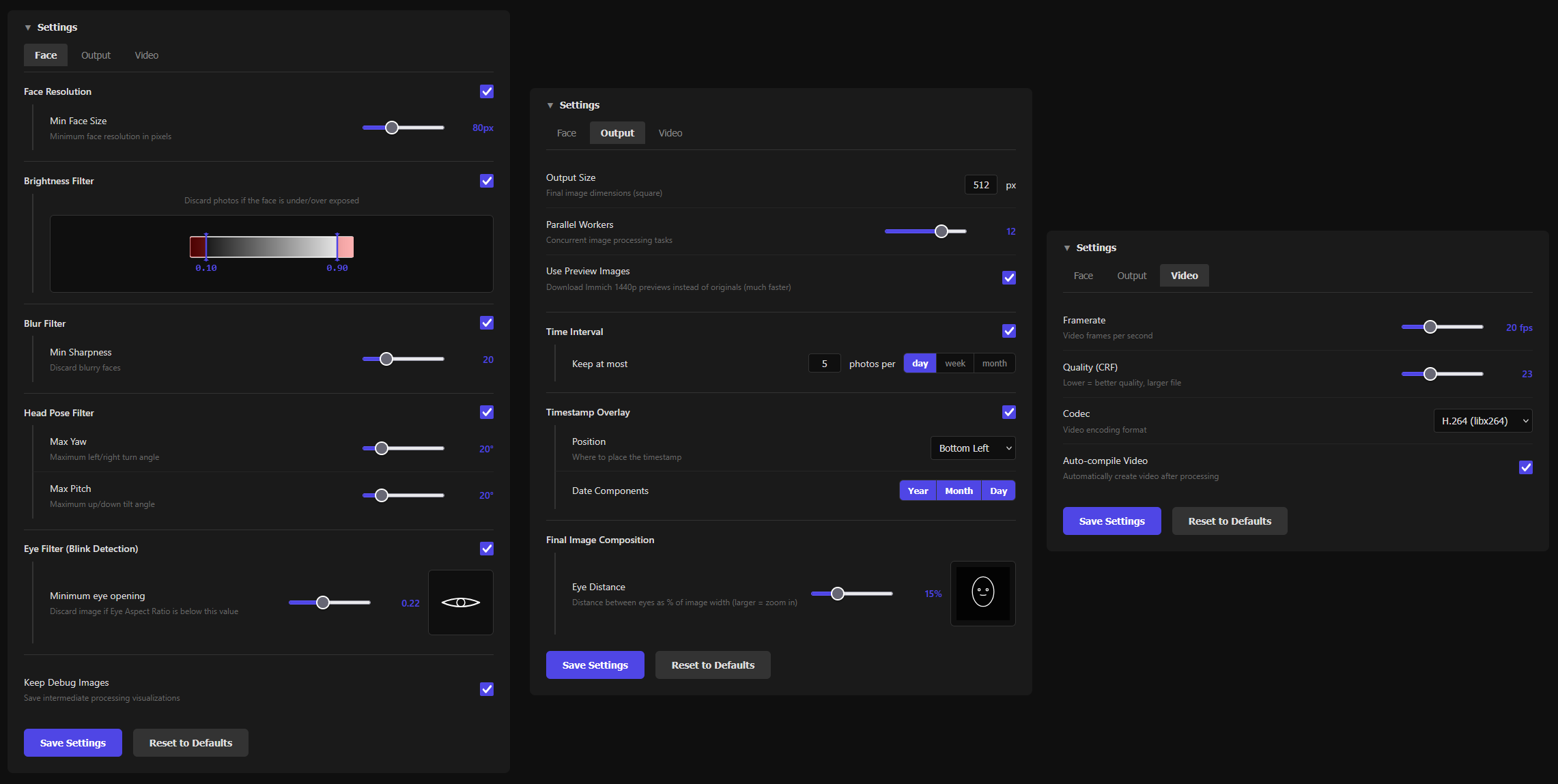
The default settings are quite permissive because every human being is unique.
Please adjust image brightness filtering, eye aspect ratio etc. for the person you are processing.
## Troubleshoot
- No ARM support yet.
- Processor must support AVX (DMHead model requirement).
## Additional info
- The photo filtering is not 100% accurate and will continue to improve.
- Heartfelt thanks to the Immich team and contributors for making this project possible.
- About contribution : When I first created this project, I marked it as open to contributions. I now realize that I don't have as much time as I thought to dedicate to this project. I feel comfortable with issues being opened as it allows me to go through them at my own pace. For pull requests, I cannot guarantee a reasonable time frame for review.
- Thank you thomaslrg for the discussions around the project.
- Thank you for the ~~200~~ 300 GitHub stars !
## License
This project is open source and available under the [MIT License](LICENSE).
## Star History
[](https://www.star-history.com/#ArnaudCrl/immich-automated-selfie-timelapse&type=date&legend=top-left)