| .env.example | ||
| .gitignore | ||
| .python-version | ||
| pic.png | ||
| pyproject.toml | ||
| README.md | ||
| server.py | ||
| tests.py | ||
| uv.lock | ||


Anthropic API Proxy for Gemini & OpenAI Models 🔄
Use Anthropic clients (like Claude Code) with Gemini or OpenAI backends. 🤝
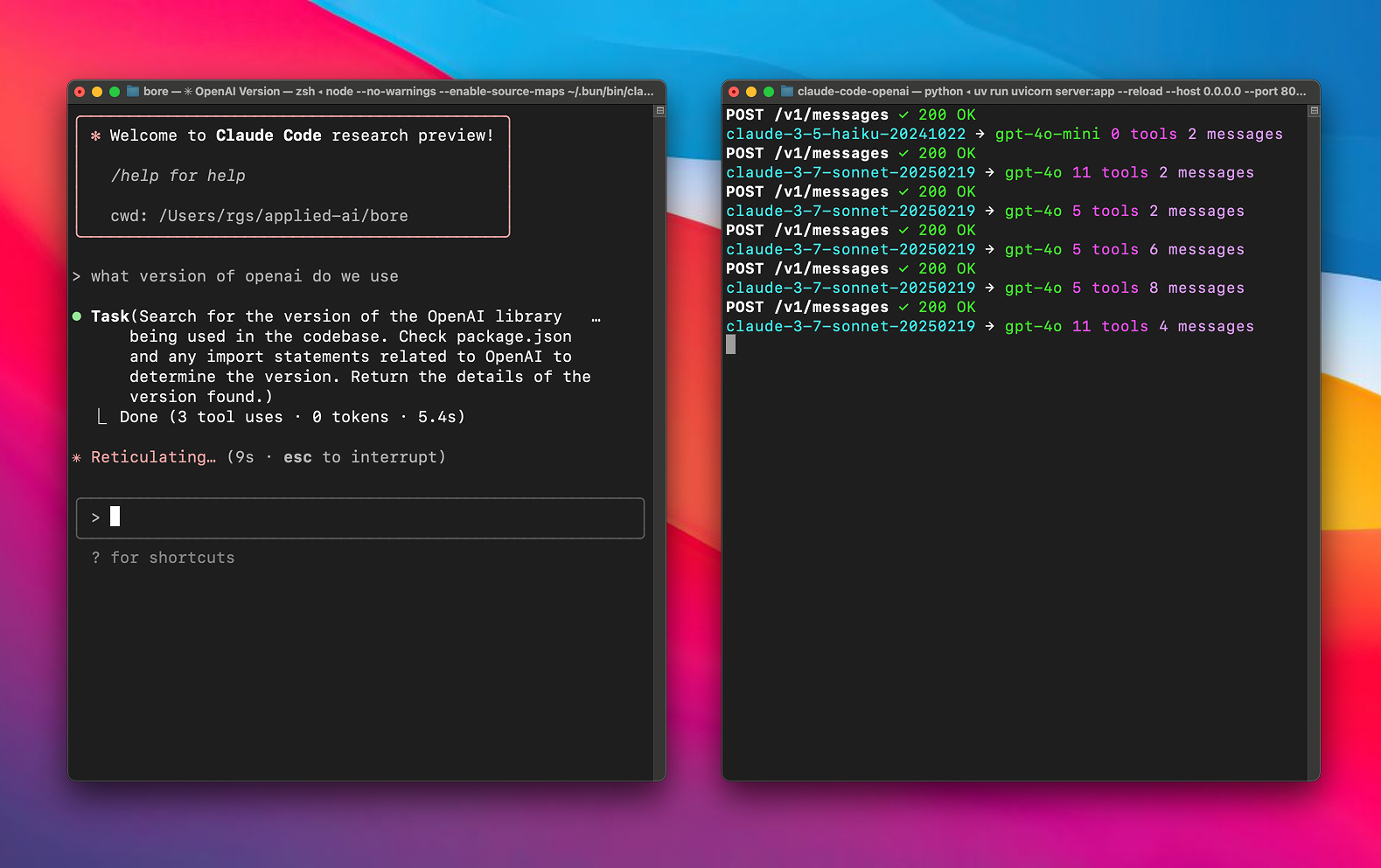
A proxy server that lets you use Anthropic clients with Gemini or OpenAI models via LiteLLM. 🌉
Quick Start ⚡
Prerequisites
- OpenAI API key 🔑
- Google AI Studio (Gemini) API key (if using default provider) 🔑
- uv (recommended) or pip installed.
Setup 🛠️
-
Clone this repository:
git clone https://github.com/1rgs/claude-code-openai.git cd claude-code-openai -
Install dependencies: Using uv (recommended):
uv venv # Create virtual environment (optional but recommended)
uv pip install fastapi uvicorn litellm python-dotenv httpx # Install main packages
Or using pip:
python -m venv .venv source .venv/bin/activate # Or .\venv\Scripts\activate on Windows pip install fastapi uvicorn litellm python-dotenv httpx -
Configure Environment Variables: Copy the example environment file:
cp .env.example .envEdit
.envand fill in your API keys and model configurations:ANTHROPIC_API_KEY: (Optional) Needed only if proxying to Anthropic models.OPENAI_API_KEY: Your OpenAI API key (Required if using OpenAI models as fallback or primary).GEMINI_API_KEY: Your Google AI Studio (Gemini) API key (Required if using the default Gemini preference).PREFERRED_PROVIDER(Optional): Set togoogle(default) oropenai. This determines the primary backend for mappinghaiku/sonnet.BIG_MODEL(Optional): The model to mapsonnetrequests to. Defaults togemini-1.5-pro-latest(ifPREFERRED_PROVIDER=googleand model is known) orgpt-4o.SMALL_MODEL(Optional): The model to maphaikurequests to. Defaults togemini-1.5-flash-latest(ifPREFERRED_PROVIDER=googleand model is known) orgpt-4o-mini.
Mapping Logic:
- If
PREFERRED_PROVIDER=google(default),haiku/sonnetmap toSMALL_MODEL/BIG_MODELprefixed withgemini/if those models are in the server's knownGEMINI_MODELSlist. - Otherwise (if
PREFERRED_PROVIDER=openaior the specified Google model isn't known), they map toSMALL_MODEL/BIG_MODELprefixed withopenai/.
-
Run the server: Using uv:
uv run uvicorn server:app --host 0.0.0.0 --port 8082 --reloadOr directly with uvicorn (if installed globally or in activated venv):
uvicorn server:app --host 0.0.0.0 --port 8082 --reload
Using with Claude Code 🎮
-
Install Claude Code (if you haven't already):
npm install -g @anthropic-ai/claude-code -
Connect to your proxy:
ANTHROPIC_BASE_URL=http://localhost:8082 claude -
That's it! Your Claude Code client will now use the configured backend models (defaulting to Gemini) through the proxy. 🎯
Model Mapping 🗺️
The proxy automatically maps Claude models to either OpenAI or Gemini models based on the configured model:
| Claude Model | Default Mapping | When BIG_MODEL/SMALL_MODEL is a Gemini model |
|---|---|---|
| haiku | openai/gpt-4o-mini | gemini/[model-name] |
| sonnet | openai/gpt-4o | gemini/[model-name] |
Supported Models
OpenAI Models
The following OpenAI models are supported with automatic openai/ prefix handling:
- o3-mini
- o1
- o1-mini
- o1-pro
- gpt-4.5-preview
- gpt-4o
- gpt-4o-audio-preview
- chatgpt-4o-latest
- gpt-4o-mini
- gpt-4o-mini-audio-preview
Gemini Models
The following Gemini models are supported with automatic gemini/ prefix handling:
- gemini-2.5-pro-preview-03-25
- gemini-2.0-flash
Model Prefix Handling
The proxy automatically adds the appropriate prefix to model names:
- OpenAI models get the
openai/prefix - Gemini models get the
gemini/prefix - The BIG_MODEL and SMALL_MODEL will get the appropriate prefix based on whether they're in the OpenAI or Gemini model lists
For example:
gpt-4obecomesopenai/gpt-4ogemini-2.5-pro-preview-03-25becomesgemini/gemini-2.5-pro-preview-03-25- When BIG_MODEL is set to a Gemini model, Claude Sonnet will map to
gemini/[model-name]
Customizing Model Mapping
You can customize which models are used via environment variables:
BIG_MODEL: The model to use for Claude Sonnet models (default: "gpt-4o")SMALL_MODEL: The model to use for Claude Haiku models (default: "gpt-4o-mini")
Add these to your .env file to customize:
OPENAI_API_KEY=your-openai-key
# For OpenAI models (default)
BIG_MODEL=gpt-4o
SMALL_MODEL=gpt-4o-mini

# For Gemini models
# BIG_MODEL=gemini-2.5-pro-preview-03-25
# SMALL_MODEL=gemini-2.0-flash
Or set them directly when running the server:
# Using OpenAI models (with uv)
BIG_MODEL=gpt-4o SMALL_MODEL=gpt-4o-mini uv run uvicorn server:app --host 0.0.0.0 --port 8082

# Using Gemini models (with uv)
BIG_MODEL=gemini-2.5-pro-preview-03-25 SMALL_MODEL=gemini-2.0-flash uv run uvicorn server:app --host 0.0.0.0 --port 8082

# Mix and match (with uv)
BIG_MODEL=gemini-2.5-pro-preview-03-25 SMALL_MODEL=gpt-4o-mini uv run uvicorn server:app --host 0.0.0.0 --port 8082
How It Works 🧩
This proxy works by:
- Receiving requests in Anthropic's API format 📥
- Translating the requests to OpenAI format via LiteLLM 🔄
- Sending the translated request to OpenAI 📤
- Converting the response back to Anthropic format 🔄
- Returning the formatted response to the client ✅
The proxy handles both streaming and non-streaming responses, maintaining compatibility with all Claude clients. 🌊
Contributing 🤝
Contributions are welcome! Please feel free to submit a Pull Request. 🎁