 c88e2db7b4
- Add alert-triggered AI analysis for real-time incident response - Implement patrol history persistence across restarts - Add patrol schedule configuration UI in AI Settings - Enhance AIChat with patrol status and manual trigger controls - Add resource store improvements for AI context building - Expand Alerts page with AI-powered analysis integration - Add Vite proxy config for AI API endpoints - Support both Anthropic and OpenAI providers with streaming |
||
|---|---|---|
| .agent/workflows | ||
| .github | ||
| cmd | ||
| deploy/helm/pulse | ||
| dev/oidc | ||
| docs | ||
| frontend-modern | ||
| internal | ||
| pkg | ||
| scripts | ||
| security | ||
| testing-tools | ||
| tests/integration | ||
| .dockerignore | ||
| .env.example | ||
| .gitattributes | ||
| .gitguardian.yaml | ||
| .gitignore | ||
| .golangci.yml | ||
| ARCHITECTURE.md | ||
| artifacthub-repo.yml | ||
| CONTRIBUTING.md | ||
| cr.yaml | ||
| DEV-QUICK-START.md | ||
| docker-compose.yml | ||
| docker-entrypoint.sh | ||
| Dockerfile | ||
| go.mod | ||
| go.sum | ||
| install.sh | ||
| LICENSE | ||
| Makefile | ||
| mock.env | ||
| README.md | ||
| SECURITY.md | ||
| VERSION | ||

Pulse
Real-time monitoring for Proxmox VE, Proxmox Mail Gateway, PBS, and Docker infrastructure.



🚀 Overview
Pulse is a modern, unified dashboard for your Proxmox and Docker estate. It consolidates metrics, logs, and alerts from Proxmox VE, Proxmox Backup Server, Proxmox Mail Gateway, and standalone Docker hosts into a single, beautiful interface.
Designed for homelabs, sysadmins, and MSPs who need a "single pane of glass" without the complexity of enterprise monitoring stacks.
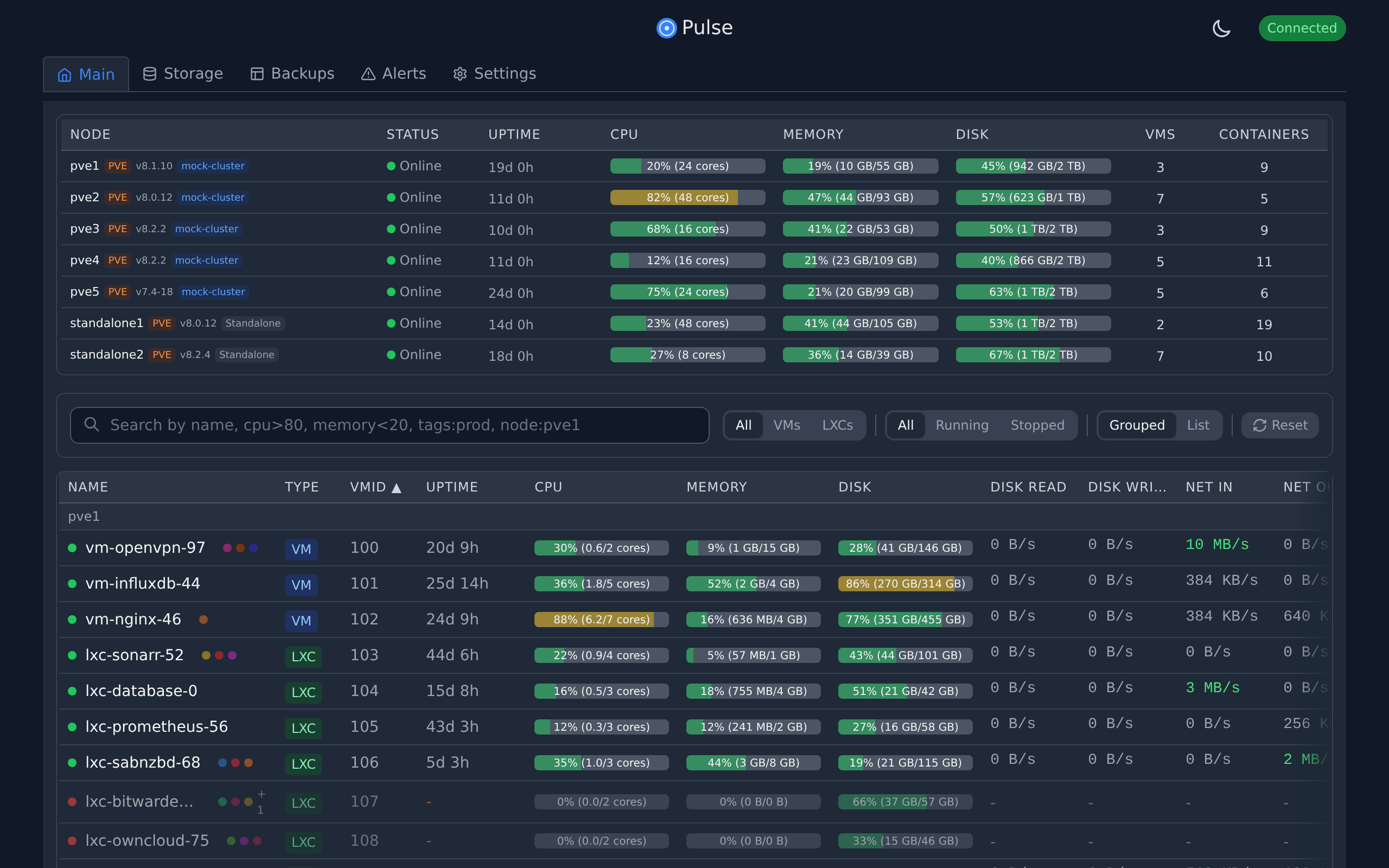
✨ Features
- Unified Monitoring: View health and metrics for PVE, PBS, PMG, and Docker containers in one place.
- Smart Alerts: Get notified via Discord, Slack, Telegram, Email, and more when things go wrong (e.g., "VM down", "Storage full").
- Auto-Discovery: Automatically finds Proxmox nodes on your network.
- Secure by Design: Credentials encrypted at rest, no external dependencies, and strict API scoping.
- Backup Explorer: Visualize backup jobs and storage usage across your entire infrastructure.
- Privacy Focused: No telemetry, no phone-home, all data stays on your server.
- Lightweight: Built with Go and React, running as a single binary or container.
⚡ Quick Start
Option 1: Proxmox LXC (Recommended)
Run this one-liner on your Proxmox host to create a lightweight LXC container:
curl -fsSL https://github.com/rcourtman/Pulse/releases/latest/download/install.sh | bash
Option 2: Docker
docker run -d \
  --name pulse \
  -p 7655:7655 \
  -v pulse_data:/data \
  --restart unless-stopped \
  rcourtman/pulse:latest
Access the dashboard at http://<your-ip>:7655.
📚 Documentation
- Installation Guide: Detailed instructions for Docker, Kubernetes, and bare metal.
- Configuration: Setup authentication, notifications, and advanced settings.
- Security: Learn about Pulse's security model and best practices.
- API Reference: Integrate Pulse with your own tools.
- Architecture: High-level system design and data flow.
- Troubleshooting: Solutions to common issues.
🌐 Community Integrations
Community-maintained integrations and addons:
- Home Assistant Addons - Run Pulse Agent and Pulse Server as Home Assistant addons.
❤️ Support Pulse Development
Pulse is maintained by one person. Sponsorships help cover the costs of the demo server, development tools, and domains. If Pulse saves you time, please consider supporting the project!


📄 License
MIT © Richard Courtman