| .changeset | ||
| .github | ||
| .vscode | ||
| packages | ||
| scripts | ||
| .gitignore | ||
| .npmrc | ||
| eslint.config.js | ||
| LICENSE | ||
| package.json | ||
| pnpm-lock.yaml | ||
| pnpm-workspace.yaml | ||
| README.md | ||
| tsconfig.json | ||




About
This repository contains the source code of os.prozilla.dev as well as multiple packages. You can find the main package at prozilla-os.
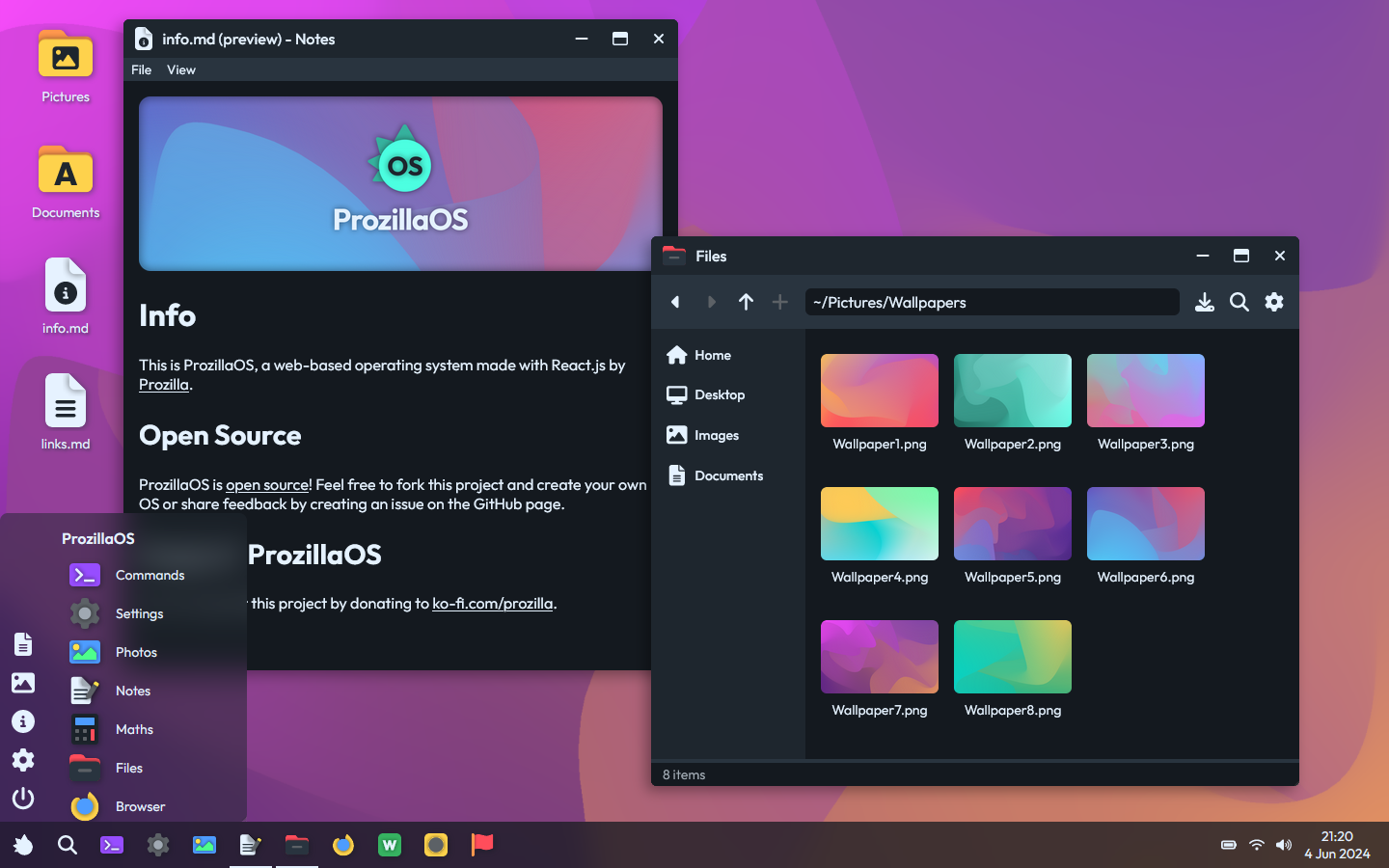
ProzillaOS is a web-based operating system inspired by Ubuntu Linux and Windows. It is made with React, Vite and TypeScript by Prozilla.
Packages
Libraries (public)
These libraries are different modules of ProzillaOS that can be installed separately or via the bundle package prozilla-os. Each library has a src/main.ts entry file and is published to the npm registry.
prozilla-os: A bundle containing the core packages and all standard applications of ProzillaOS@prozilla-os/core: Core functionality, React components and hooks@prozilla-os/skins: Customizable skins for ProzillaOS@prozilla-os/shared: Shared functions and utilities
Standard applications
@prozilla-os/file-explorer: File explorer app@prozilla-os/terminal: Terminal/shell app@prozilla-os/text-editor: Text editor app@prozilla-os/settings: Settings app@prozilla-os/media-viewer: Media viewer app@prozilla-os/browser: Browser app@prozilla-os/calculator: Calculator app
Non-standard applications
@prozilla-os/logic-sim: Logic simulator app
Sites (internal)
These packages contains the source code of parts of the ProzillaOS website. They are published to GitHub pages.
@prozilla-os/demo: Demo site@prozilla-os/docs: Documentation site
Scripts
ProzillaOS uses the package manager pnpm to run scripts.
Global
| Script | Description |
|---|---|
pnpm run start |
Run pnpm run demo:start. VSCode is configured to run this script whenever the project is opened. |
pnpm run build |
Build every package in sequential order. |
pnpm run stage |
Copy and combine the build of each package that comprises the website in the dist directory at the root. |
pnpm run deploy |
Clear the dist directory, stage each package that comprises the website, then deploy to GitHub pages. This should trigger a GitHub Action that deploys the build to production. |
Public packages
| Script | Description |
|---|---|
pnpm run packages:build |
Build all dependencies of the prozilla-os package in sequential order and output to respective dist directories. |
pnpm run packages:update |
Create a new changeset for packages and update their version accordingly. |
pnpm run packages:release |
Publish the latest versions of each package to the npm registry. |
Tip
Use
pnpm --filter <package_selector> buildto build a sepecific subset of packages or a single package and output to respectivedistdirectory/directories. For more information about selecting/filtering specific packages, read pnpm's documentation on filtering.
Internal package: @prozilla-os/demo
| Script | Description |
|---|---|
pnpm run demo:start |
See pnpm run start |
pnpm run demo:build |
See pnpm run build |
pnpm run demo:preview |
See pnpm run preview |
pnpm run demo:stage |
See pnpm run stage |
pnpm run demo:fetch |
See pnpm run fetch |
Internal package: @prozilla-os/docs
| Script | Description |
|---|---|
pnpm run docs:start |
See pnpm run start |
pnpm run docs:build |
See pnpm run build |
pnpm run docs:preview |
See pnpm run preview |
pnpm run docs:generate |
See pnpm run generate |
Links
Resources
These resources can help you get started with ProzillaOS.
- Getting started guide
- prozilla-os/ProzillaOS-boilerplate: Boilerplate code for a React Vite app implementing ProzillaOS
License
ProzillaOS is MIT licensed.