| .changeset | ||
| .github | ||
| .vscode | ||
| packages | ||
| public | ||
| scripts | ||
| src | ||
| .gitignore | ||
| .npmrc | ||
| eslint.config.js | ||
| index.html | ||
| LICENSE.md | ||
| package.json | ||
| pnpm-lock.yaml | ||
| pnpm-workspace.yaml | ||
| README.md | ||
| tsconfig.json | ||
| vite.config.ts | ||




About
This monorepo contains the source code of os.prozilla.dev as well as multiple packages. You can find the main package at prozilla-os.
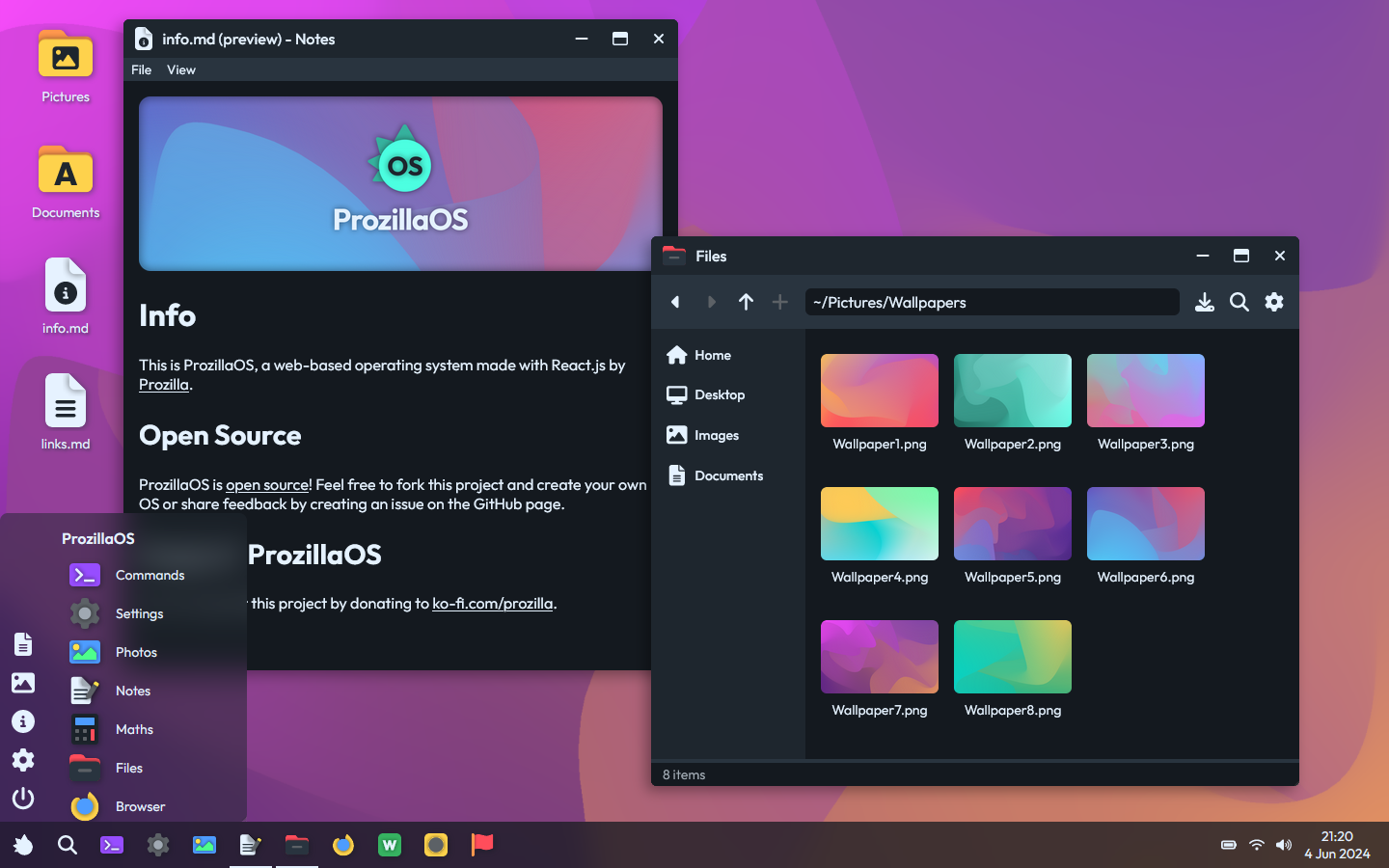
ProzillaOS is a web-based operating system inspired by Ubuntu Linux and Windows. It is made with React, Vite and TypeScript by Prozilla.
Warning
This repository is currently being transformed into a monorepo. Some things may be temporarily missing/broken. If you have any questions in the meantime, feel free to open an issue.
Packages
Each package follows a similar structure and has a src/main.ts entry file.
prozilla-os- A bundle containing all essential packages and standard applications of ProzillaOS
Essentials
@prozilla-os/core- Core functionality, React components and hooks@prozilla-os/shared- Shared functions and utilities
Standard applications
@prozilla-os/file-explorer- File explorer app@prozilla-os/terminal- Terminal/shell app@prozilla-os/text-editor- Text editor app@prozilla-os/settings- Settings app@prozilla-os/media-viewer- Media viewer app@prozilla-os/browser- Browser app@prozilla-os/calculator- Calculator app
Non-standard applications
@prozilla-os/logic-sim- Logic simulator app
Scripts
These are the scripts in logical order, that will be available when you have installed the dependencies. Note that certain scripts can be omitted by running another script. For more information about scripts #1, #2 and #3, check the officiel Vite documentation.
Main scripts
-
npm run startStart Vite dev server at localhost:3000. Changes to module will dynamically be hot-reloaded, so normally there is no need for hard-refreshes. VSCode is configured to run this script whenever the project is opened.
-
npm run buildCompile project using TypeScript and bundle all files into the
distdirectory, or the directory specified in config file. This directory can be uploaded to a web server. -
npm run serveStart web server with preview of build at localhost:8080. Can be useful for testing build before deploying.
-
npm run stageExecute stage.ts, which stages the build and prepares it for deployment. Script will generate a sitemap, robots.txt and all other necessary files.
-
npm run deployRun scripts #2 and #4, then execute deploy.ts, which uploads the staged build to GitHub Pages on branch called
gh-pages. This should then trigger a GitHub Action that deploys the build to production.
Extra scripts
-
npm run fetchFetch the repository tree using GitHub's API and store it as a JSON file that will be used to populate the virtual drive. More information can be found on the virtual drive page.
Packages scripts
-
npm run packages:buildBuild all packages in sequential order and output to respective
distdirectories. -
npm run packages:updateCreate a new changeset for packages and update their version accordingly.
-
npm run packages:releasePublish the latest versions of each package to the npm registry.
Links
Resources
These resources can help you get started with ProzillaOS.
- prozilla-os/ProzillaOS-boilerplate - Boilerplate code for a React Vite app implementing ProzillaOS